
ManyChat helps you reply to Instagram and Facebook messages automatically. It saves time and turns chats into leads. If you want more conversations without extra work, it is worth trying.
- Easy to use, even for beginners
- Saves time by automating replies
- Works well with Instagram and Facebook
- Helps turn comments into leads
- Paid plan needed as your list grows
- Automation can feel robotic if not written well
Price: $15/mo
ManyChat is a tool that helps businesses reply to messages on platforms like Instagram and Facebook without doing everything by hand. It promises to save time, start more conversations, and help brands connect with people through chat.
But does it really feel personal, or does it just send automated replies? And is it actually useful for creators and small businesses?
This Manychat review takes a simple and honest look at what it truly offers.
Overview of Manychat
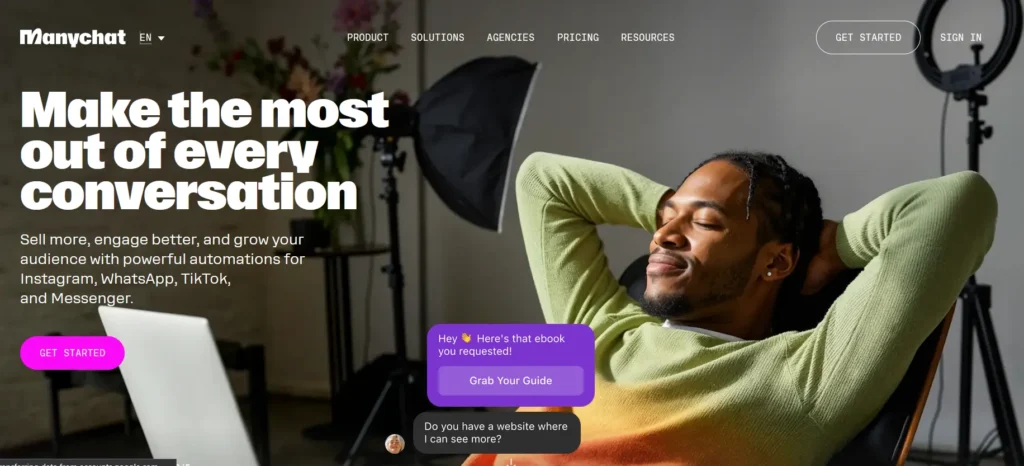
ManyChat is an easy tool that helps businesses talk to customers through chat. It lets you create chatbots and send automatic messages on platforms like Instagram, Facebook Messenger, WhatsApp, and sometimes SMS or email.
When someone sends a message to your business page, ManyChat can reply right away, even if you are not online. This helps you welcome new people, answer common questions, collect emails or phone numbers, share products or offers, take orders, or book appointments through chat.
ManyChat is widely used by small businesses, online stores, coaches, and content creators who want to stay connected with their audience all day and save time by automating conversations.
The platform started in 2015 when founders Mike Yan, also known as Mikael Yang, and Antony Gorin launched it with a simple chatbot tool on Telegram. Their goal was to help businesses manage conversations without needing a website or app.
In 2016, after Facebook opened access to Messenger, ManyChat expanded to that platform, which helped it grow fast and become a popular chat marketing tool worldwide.
Who Is ManyChat Best For?
- Small business owners who receive many messages on Instagram or Facebook
- Online store owners who want to answer questions and share products through chat
- Coaches and consultants who book calls and handle inquiries through messages
- Content creators who want to turn comments and DMs into leads
- Marketers who need a simple way to manage and automate social media conversations
ManyChat is a good fit for anyone who wants faster replies and better conversations without being online all the time.
Key Features of Manychat
Easy Drag and Drop Builder
ManyChat lets you create chat conversations using a visual builder. You connect simple blocks to form a flow. You can add messages, buttons, images, questions, and actions without writing code. This makes it easy for anyone to build automated chats step by step.
Works Across Multiple Channels
ManyChat allows you to manage conversations from one dashboard. It supports Instagram messages, Facebook Messenger, WhatsApp, TikTok messages in some regions like the US, SMS, and email. This helps you reply to customers from different platforms in one place.
Growth Tools
ManyChat includes tools that help you bring more people into your chatbot. You can send messages when someone comments on a post, replies to your Instagram story, types a keyword, or clicks an ad that opens a chat. Features like Follow to DM help you grow your contact list.
AI Tools
ManyChat offers AI features that help with message creation and automation. It can help write messages, translate text, understand what users mean, and build automation flows by asking a few questions. This reduces the time needed to set up conversations.
Automated Sequences
You can create message sequences that send content over time. For example, a welcome message on the first day, helpful information later, and an offer after that. These sequences help keep people engaged without manual sending.
Tags and Segmentation
ManyChat lets you label contacts with tags such as lead or customer. You can also save details like name, location, or interests. This allows you to send messages to specific groups, making communication more relevant.
Live Chat
When automation is not enough, you can reply in live chat. All conversations appear in a shared inbox, so your team can respond directly. A mobile app is also available, which makes replying from anywhere easy.
Integrations
ManyChat connects with other tools you may already use. You can link it with platforms like Shopify for cart recovery, Stripe or PayPal for payments, CRM tools, and email services like Mailchimp. This helps connect chat with your business systems.
Analytics
ManyChat provides reports that show how your chats perform. You can track message opens, clicks, leads, sales, and revenue from each flow. These insights help you understand what works and improve your chat strategy.
Pricing Plans of Manychat
Free Plan – $0 per month
This plan lets you use ManyChat with up to 1,000 contacts. You can build basic chatbot flows, use a few tools to collect leads, and add up to 10 tags. It works with Instagram and Facebook Messenger.
There are limits, such as only two message sequences, limited keyword triggers, one team member, and ManyChat branding on messages. Advanced features like WhatsApp, SMS, and Email are not included. This plan works well for learning and testing the platform.
Pro Plan – Starts at $15 per month
This is the most popular plan for growing businesses. It gives access to unlimited flows, tags, segments, growth tools, AI features, analytics, integrations, live chat, and removes ManyChat branding.
You can use Instagram, Facebook Messenger, WhatsApp, SMS, Email, and TikTok messages. The price starts at $15 for up to 500 contacts and increases as your list grows.
Charges adjust during the month if contacts change. Extra costs apply for WhatsApp conversations, SMS messages, and Email sends, which can increase the total cost with high usage.
Elite Plan – Custom pricing
This plan is designed for large businesses and agencies. It includes all Pro features plus personal onboarding, a dedicated support manager, priority help, custom setup, and unlimited team members.
Pricing is not listed publicly and depends on your business needs. You need to contact ManyChat to get a quote.
ManyChat Free Trial
ManyChat offers a 14-day free trial of its Pro plan. During this period, you can use most Pro features without paying. This includes unlimited chatbot flows, growth tools, integrations, analytics, and support for channels like Instagram, WhatsApp, SMS, and Email. It allows you to test how ManyChat fits your business needs.
To start, you create a free account. Inside the dashboard, you can choose the option to start the Pro trial. After the 14 days end, your account moves to the paid Pro plan, which starts at $15 per month based on your number of contacts, unless you cancel before the trial ends.
Some points to keep in mind. You do not need a card to open a free account, but billing details may be required to start the trial.
Charges for WhatsApp, SMS, or Email usage may still apply if you use those features. The AI add-on may not be included in the trial. This trial helps users build and test chatbots before choosing a paid plan.
How to Activate Your ManyChat Pro Subscription?
When I first started using ManyChat, I was blown away by how much I could do with their free plan. It is a fantastic and generous starting point. However, I quickly realized that to unlock the true power of the platform and remove the limitations, I needed to upgrade to a Pro subscription.
The process of activating your Pro plan is very simple and straightforward. It is designed to be a seamless upgrade that you can do in just a few minutes. Here is the exact, step-by-step process I followed to go Pro.
Step 1: Sign In to Your ManyChat Account
Click on sign in and select which social media platform you wish to connect to- Tiktok, Whatsapp, Facebook Messenger, Telegram.
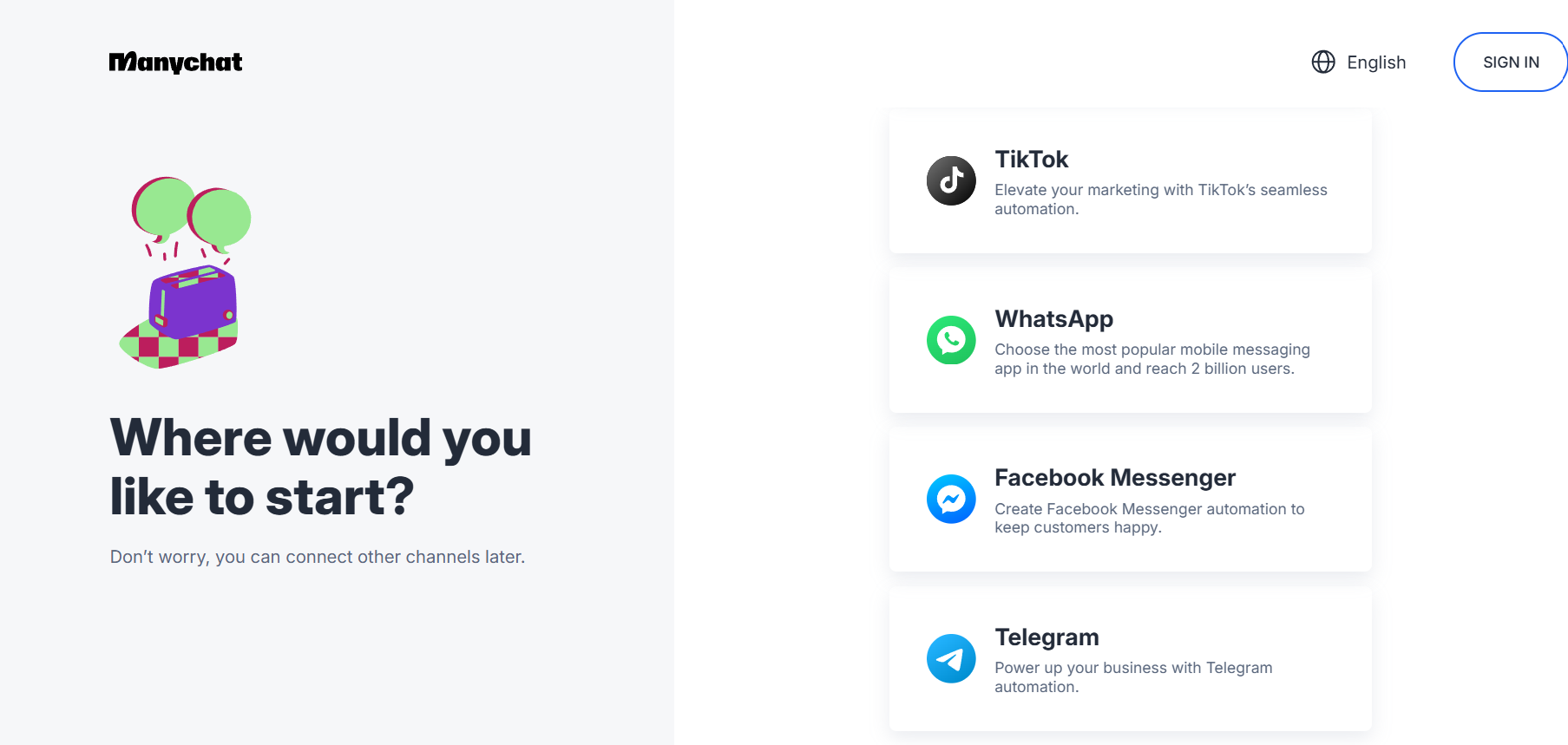
Step 2: Continue with the Option you selected
Once you choose the social media platform to connect to, you’ll be redirected to Continue. (Here I have selected Facebook)
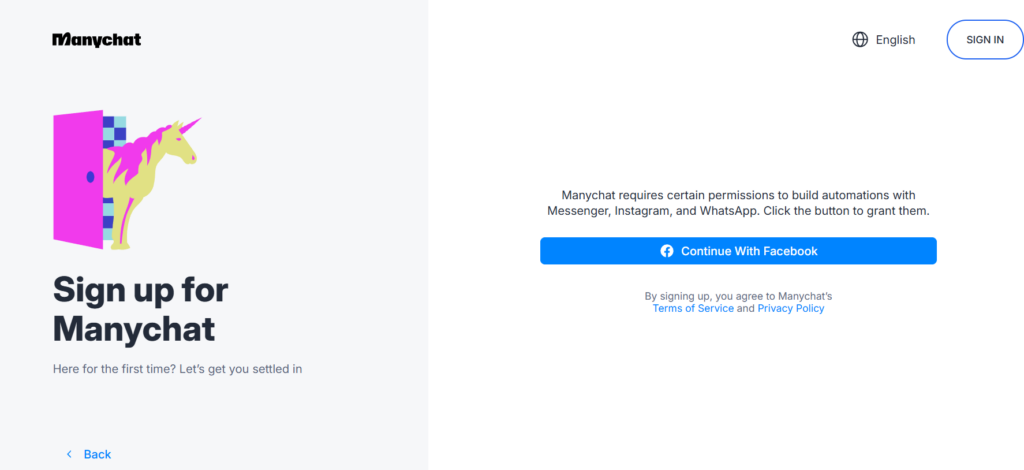
Step 3: Select the Facebook Account You Wish to Connect To
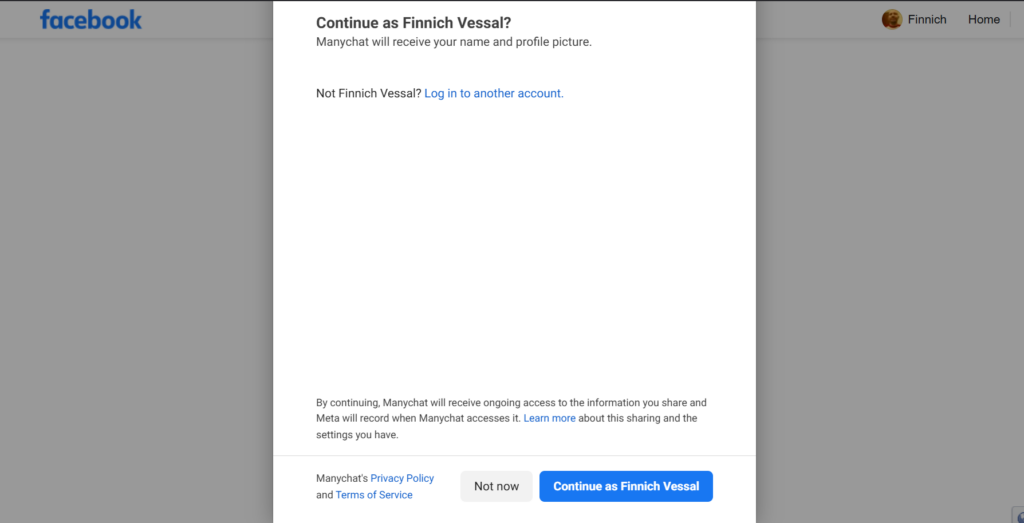
Click on continue after selecting the appropriate Facebook account that you wish to connect.
Step 4: Select the channel you want to connect to
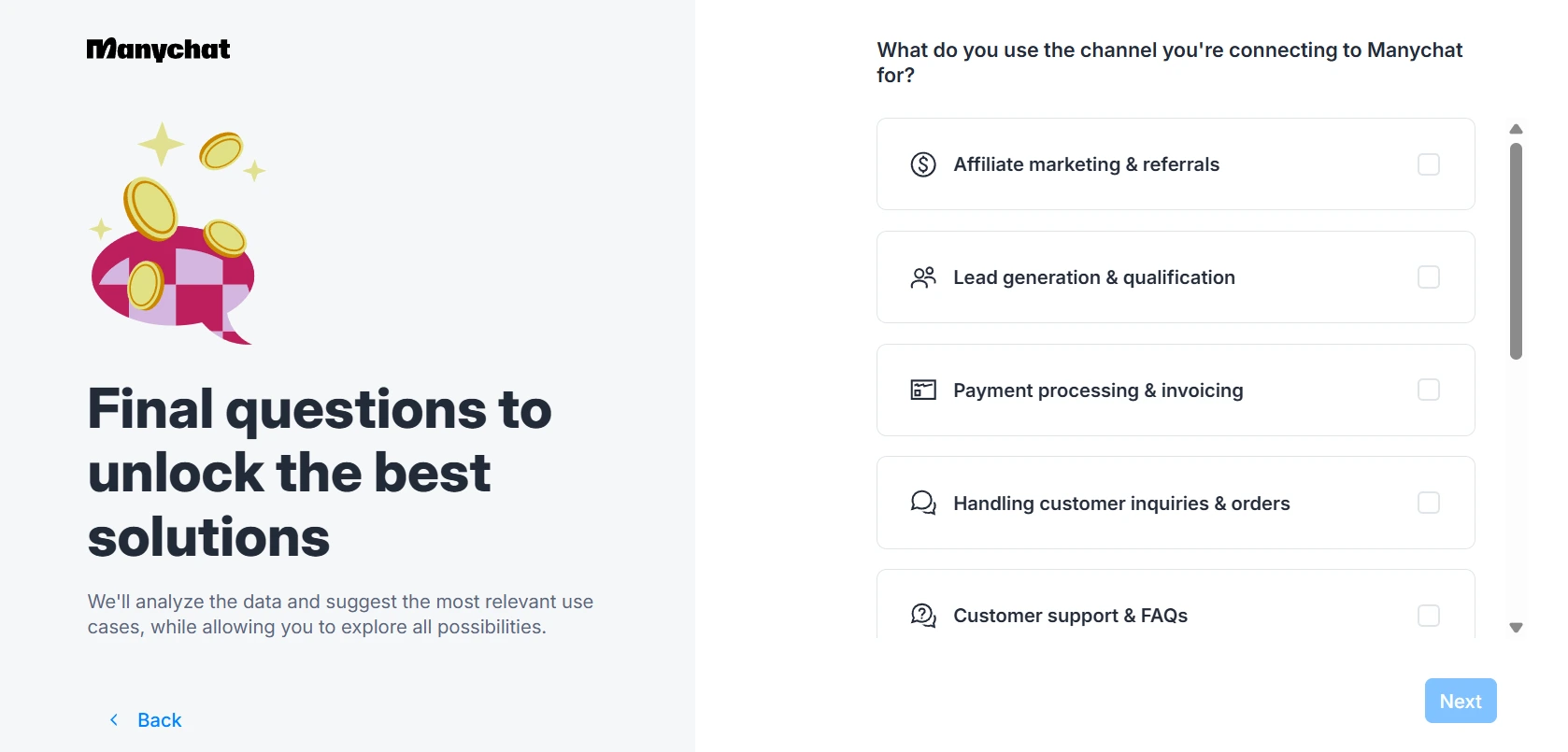
Select from the options given and click on Next.
Step 5: Choose Instagram accounts connected to your Facebook
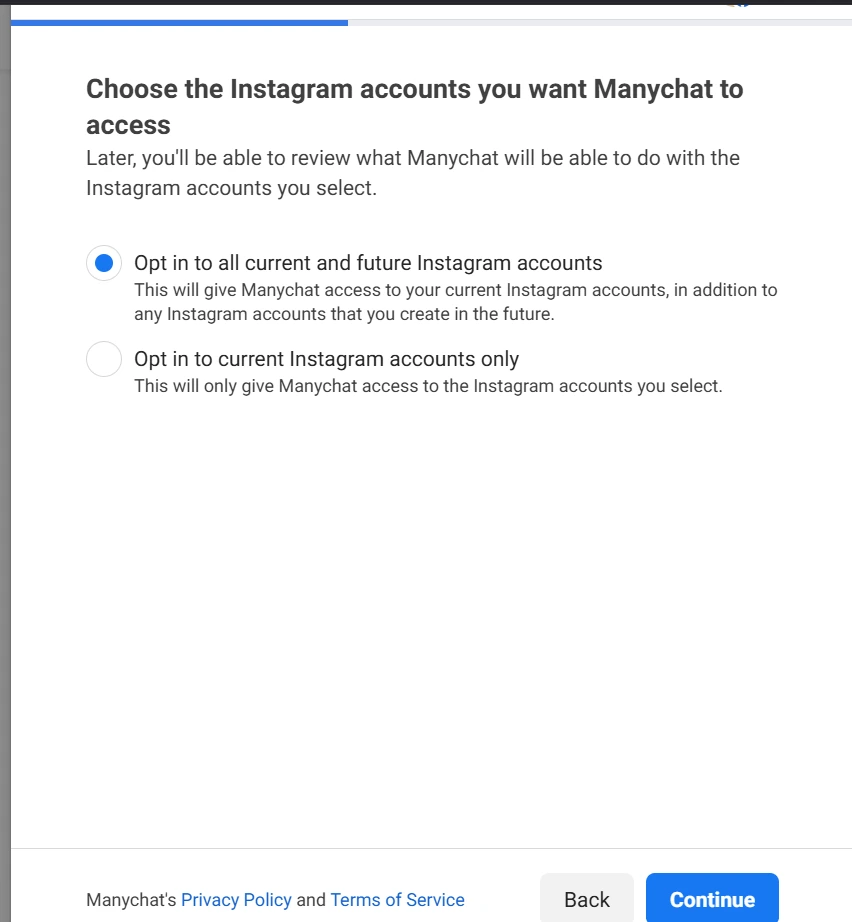
Step 6: Select the Plan
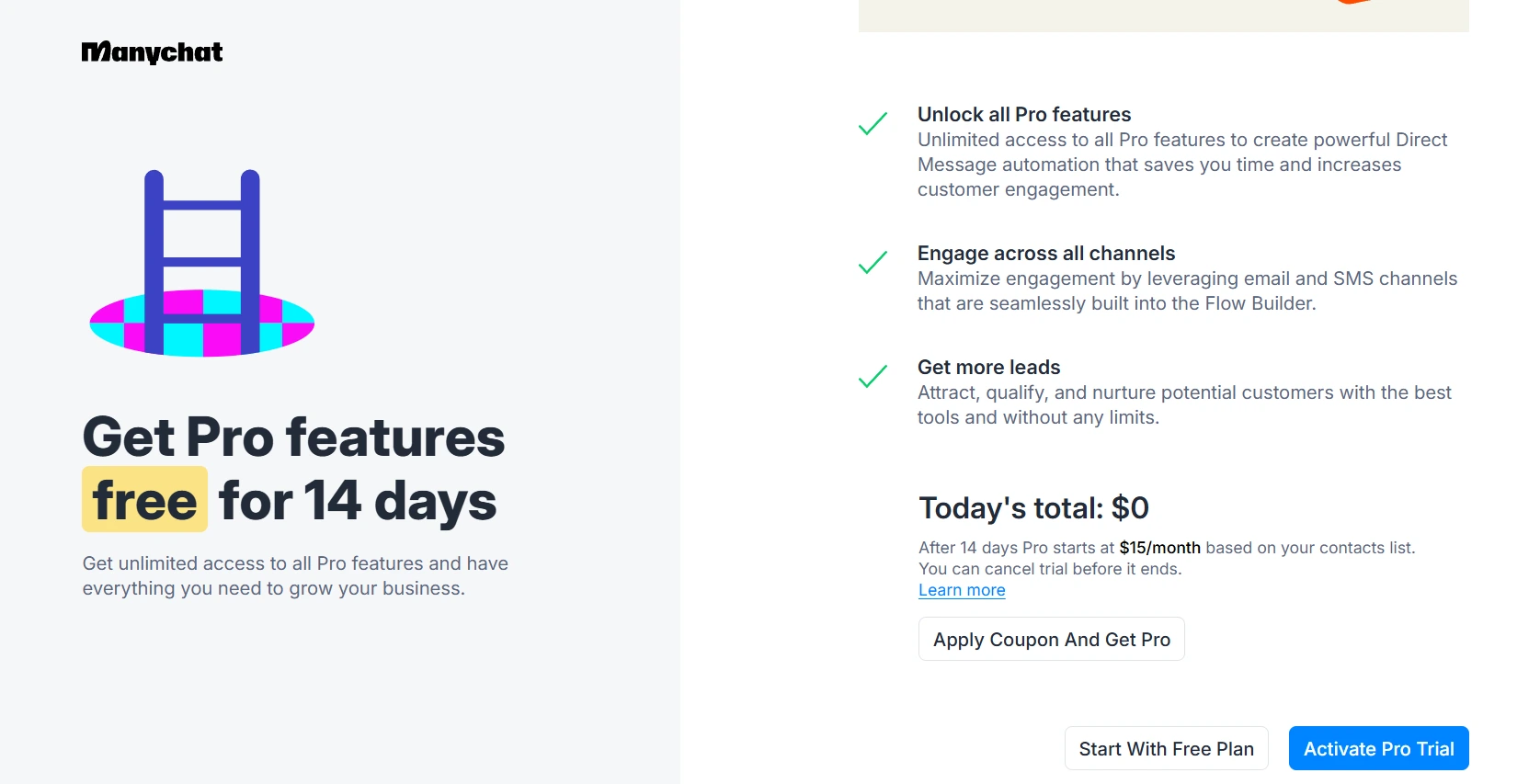
Select the plan which you wish as per your business needs and click on Activate Pro Trial. You can also start with Free Plan.
Step 7: Your Facebook will now be connected
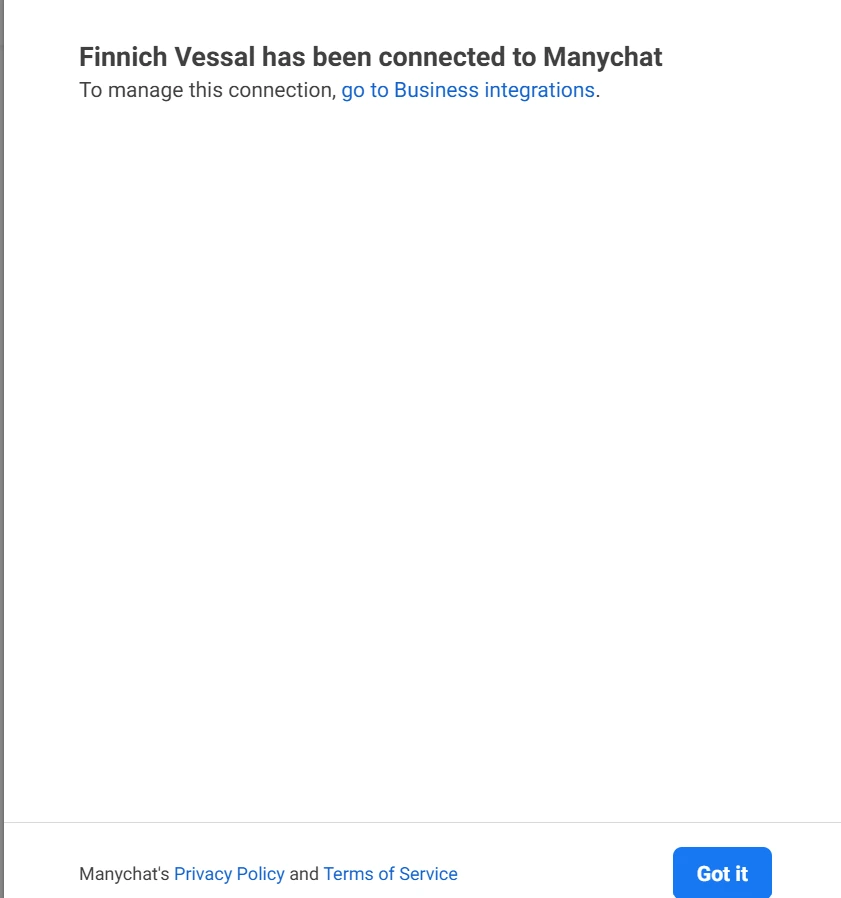
Your Facebook account will now be connected.
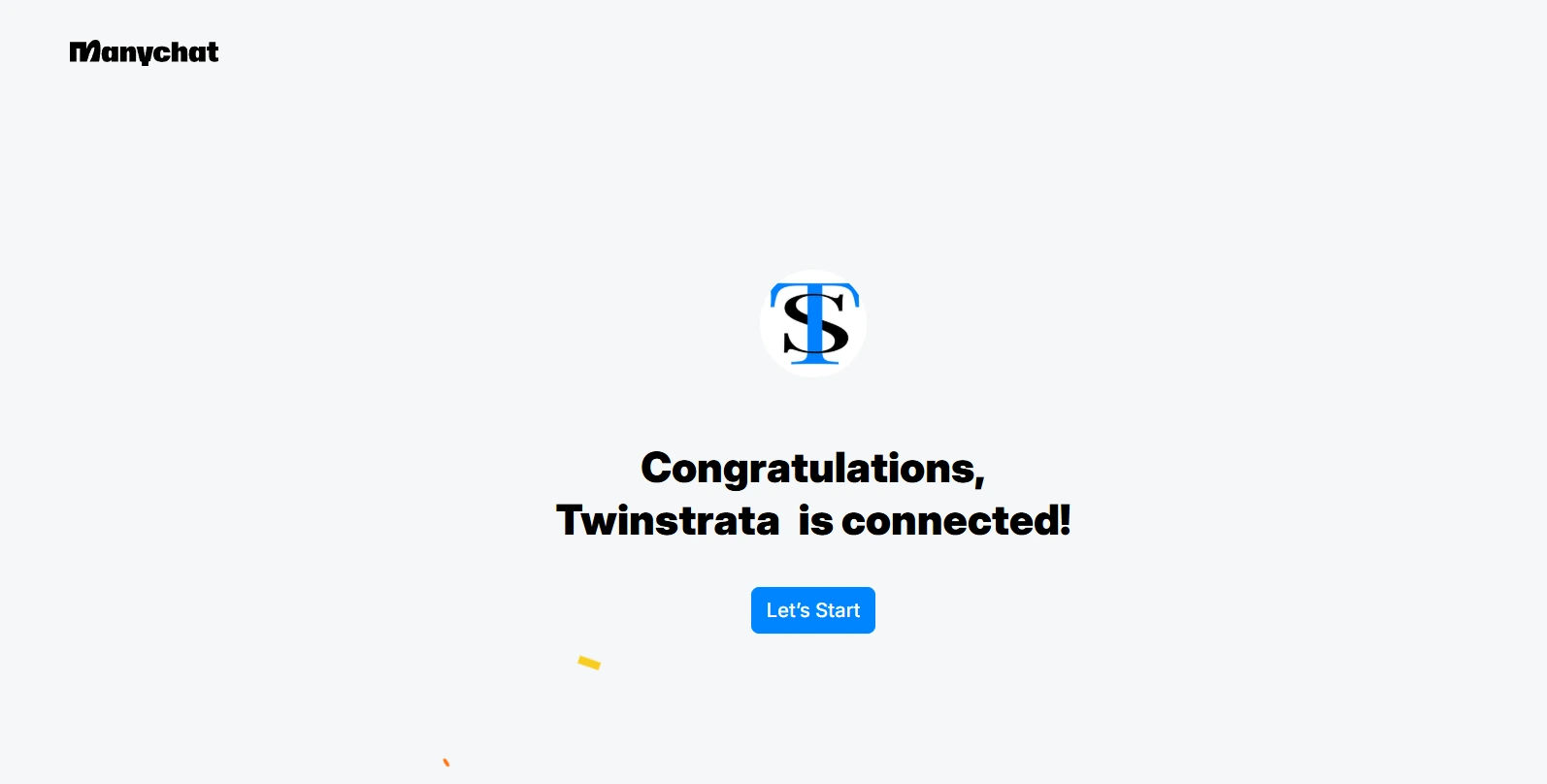
Step 8: Select the Settings you wish to continue with
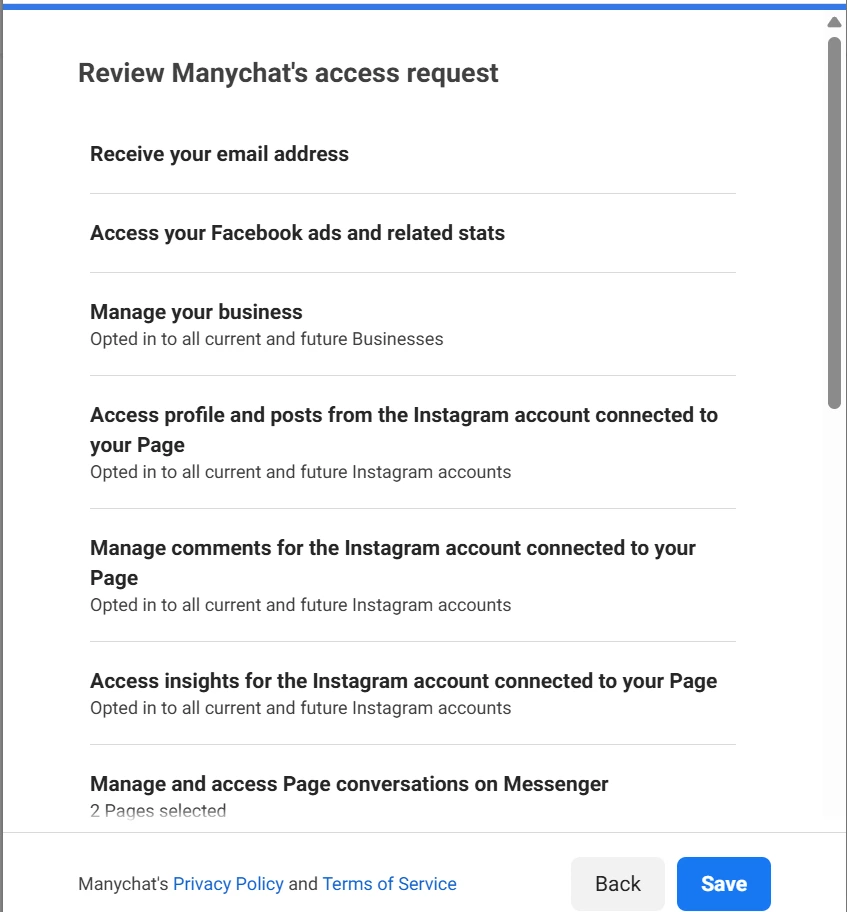
Click on Save after the setting is selected.
Step 9: Select who you are setting the account for
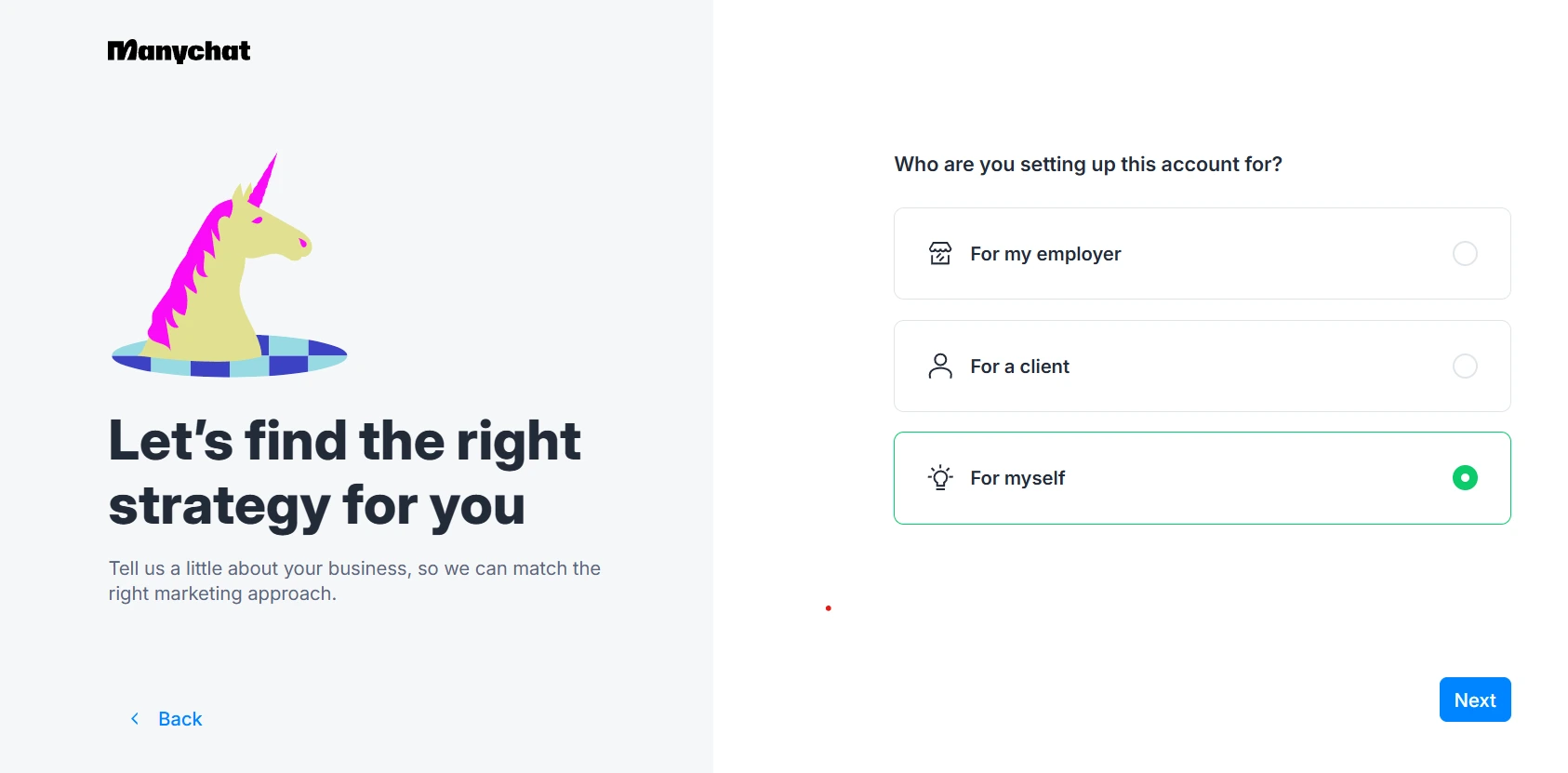
Step 10: Select the reason to use Manychat
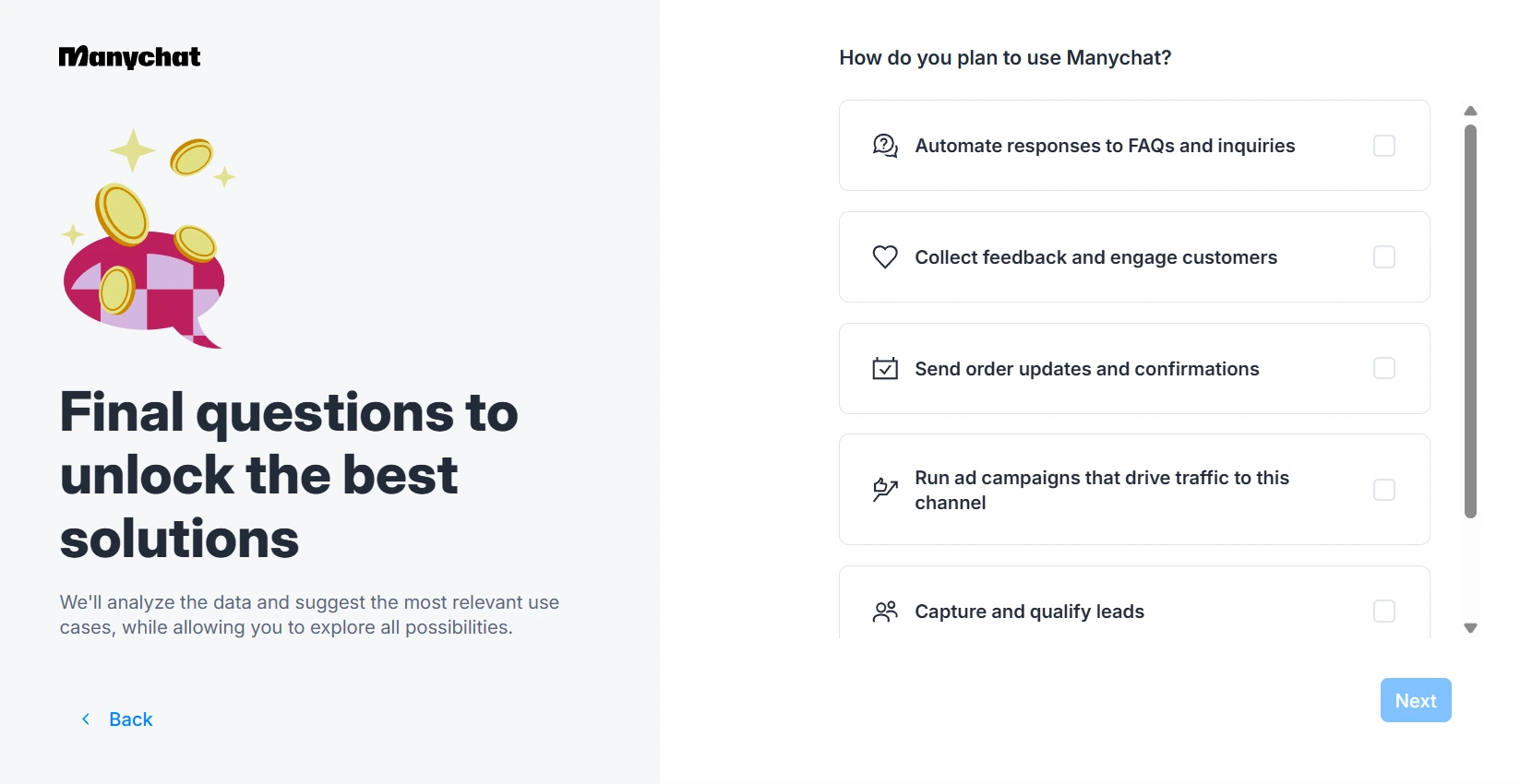
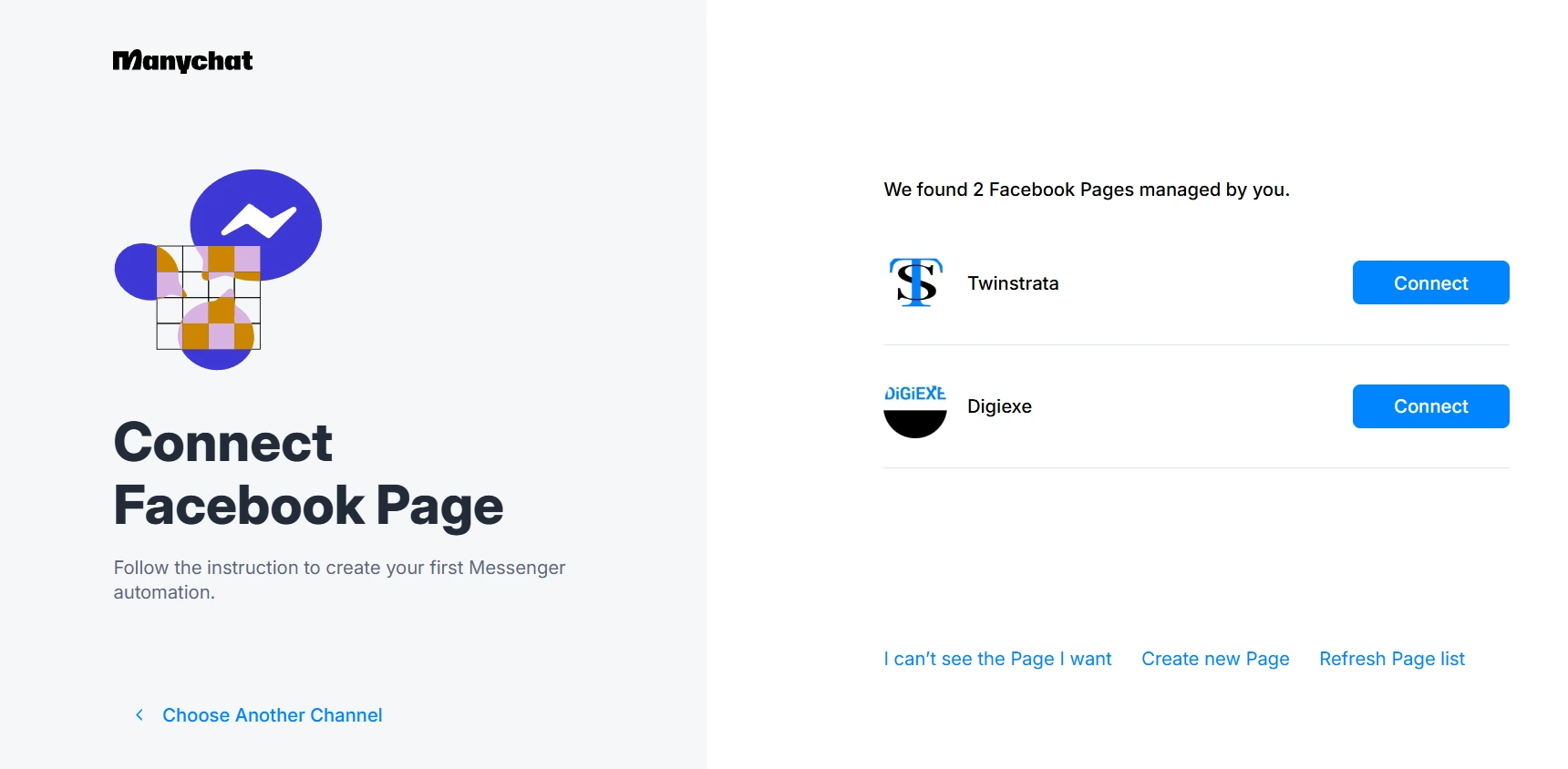
Step 11: Select the Facebook page you wish to connect
Step 13: Congratulations! You have activated the Free plan as below
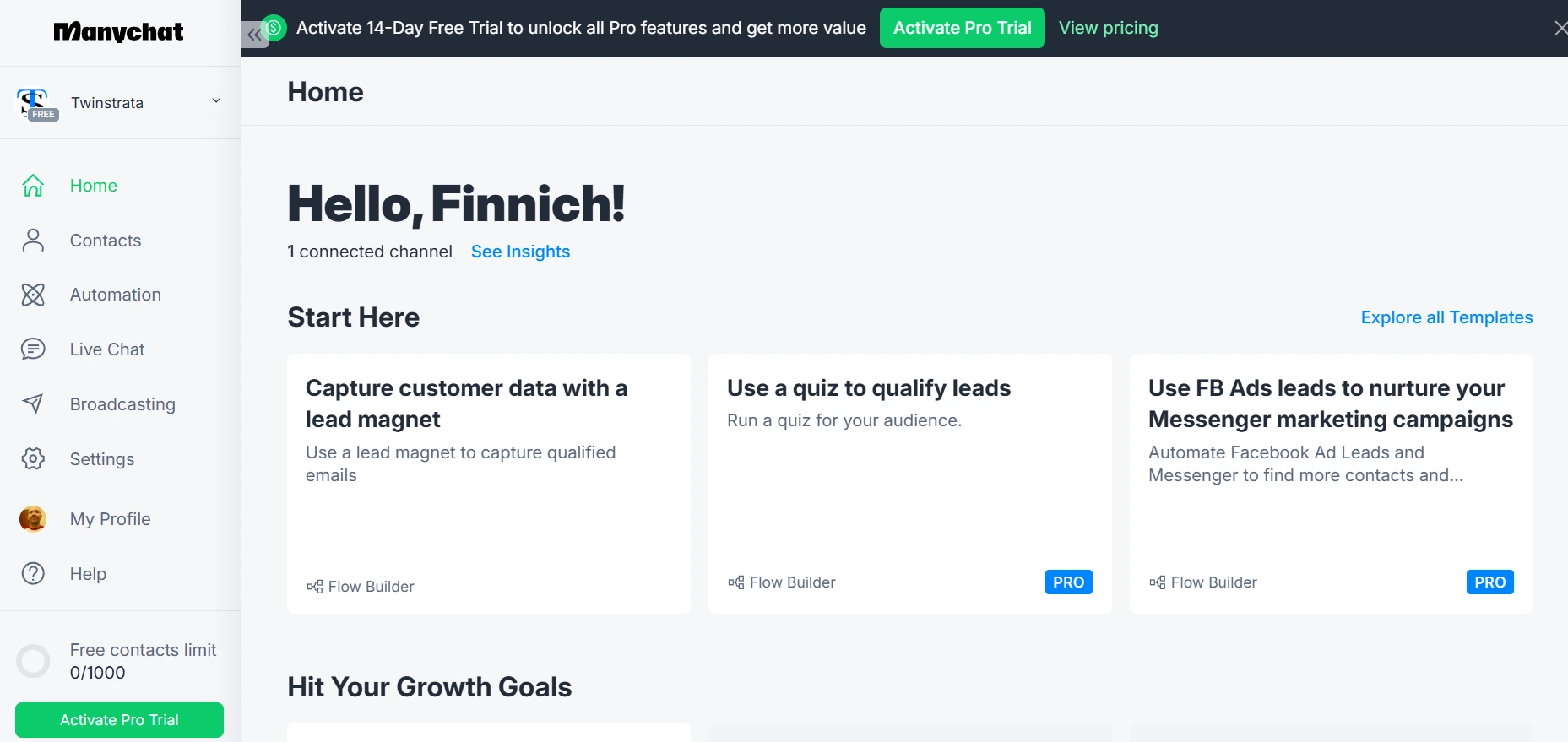
You can now see the Dashboard to your left, which has Manychat features that you can access as part of the Free Plan.
How Does ManyChat Work?
When I first heard about chat marketing, the whole concept seemed incredibly technical and complex. I imagined needing to be a programmer to build a chatbot. I was so relieved and excited when I discovered ManyChat, because it takes all that complexity and hides it behind a simple, visual, and incredibly intuitive interface.
I want to break down for you exactly how ManyChat works, in a simple way, based on my own experience of using it to build my automated conversations.
At its core, ManyChat is a platform that allows you to create automated, interactive conversations with your audience on messaging apps like Instagram Direct Messages and Facebook Messenger.
Think of it as an email autoresponder, but for chat. Instead of just sending out one-way email blasts, you are building a two-way conversation that can respond to your customers’ questions and guide them on a journey, all automatically.
The entire process works through three main components:
1. The Trigger: What Starts the Conversation?
Everything in ManyChat begins with a trigger. This is the specific action a user takes that initiates your automated conversation. ManyChat gives you a huge number of powerful triggers. For example, a conversation can be started when someone:
- Comments on one of your Facebook posts.
- Clicks on a specific link you share.
- Sends you a direct message on Instagram.
- Scans a QR code you have created.
- And many more.
You get to choose the exact event that will kick off your automated flow.
2. The Flow: The Conversation You Build
This is where the real magic happens. A “Flow” is the pre-built conversation that you design. This is where you decide what the chatbot will say and do. Using a simple, visual Flow Builder, you map out the entire conversation.
You can tell the bot to send a welcome message, then wait a few seconds, then send an image, and then ask a question with a few buttons for the user to click. Each button can lead the user down a different path in the conversation. It is like creating a “choose your own adventure” story for your customers.
3. The Action: The Goal of the Conversation
At the end of your conversation, you will want the user to take a specific action. This is the goal of your flow. An action could be:
- Subscribing them to your email list.
- Tagging them with a specific interest (like “interested in yoga”).
- Sending them to your website to make a purchase.
- Notifying a human team member to jump into the conversation.
By combining these three elements like the Trigger, the Flow, and the Action- you can create incredibly powerful and personalized automated marketing campaigns.
Pros and Cons
Pros
- Easy to use for beginners
- Saves time by automating replies
- Works with Instagram, Facebook, WhatsApp, SMS, and Email
- Helps turn messages and comments into leads
- Lets you send targeted messages using tags
- Shows performance with simple analytics
Cons
- Price goes up as your contact list grows
- Some features cost extra (like WhatsApp and SMS messages)
Performance & Usability of Manychat
ManyChat is easy to use, even if you have no technical skills. The drag and drop builder helps you create chat flows by connecting messages, buttons, and actions. Templates make it simple for beginners to get started.
The dashboard is clear on both desktop and mobile, and you can build, edit, and test automations without much effort. Tutorials and community support also help users learn faster.
In terms of performance, ManyChat works smoothly for daily use. Messages are sent quickly, and bots reply to users on platforms like Instagram and Facebook without delay.
It can handle many conversations at the same time and keeps businesses active all day. The system feels stable, though very large flows may take a moment to load. Most problems happen due to social platform changes, not the tool itself.
Customer Support
ManyChat provides help through its Help Center, which includes guides, search, and an AI chatbot that answers common questions at any time. This support is available to all users, including those on the free plan.
Paid users can contact support through email or a ticket system, but replies may take a day or longer. Higher plans offer faster support and personal help. Many users rely on community groups and forums to get quick answers.
FAQs
❓Do I need coding skills to use ManyChat?
No, you can build chatbots using a simple drag-and-drop builder.
❓Can ManyChat work with Instagram?
Yes, Manychat supports SMS marketing, along with email and Facebook Messenger.
❓Is ManyChat good for small businesses?
Yes, it is useful for small businesses, creators, and coaches.
❓Does Manychat integrate with other tools?
Yes, Manychat integrates with platforms like Shopify, Zapier, Google Sheets, and more.
❓Does ManyChat support WhatsApp and SMS?
Yes, these channels are available on paid plans with extra costs.
To Conclude
ManyChat is a helpful tool for businesses and creators who want to manage messages without replying to each one manually.
It is easy to use, works well with social media platforms, and helps turn chats into real leads and customers.
While some features cost extra as you grow, it is a good choice for saving time and improving conversations.