

Yes, Wix is still one of the best website builders in 2026 for beginners and small businesses. It is easy to use and includes strong design and business tools in one platform.
- Easy-to-use drag-and-drop interface.
- Wide selection of templates and design flexibility.
- Built-in e-commerce and SEO tools.
- No coding required for customization.
- Offers reliable customer support.
- Pricing can be relatively high, especially for advanced features.
- Limited scalability for large or complex websites.
Price: $17/month
If you plan to build a website, you have likely heard of Wix. It shows up in ads, YouTube videos, and talks about website tools. It says you can design a site with no coding and get it live in a short time.
But the real question is simple. Is Wix worth your time?
I have used Wix for personal blogs, small business websites, and landing pages. Some projects turned out well. Others felt limited. In this Wix review, I will share what works, what does not, and who should use it.
No marketing talk. Just a clear and honest view.
Key Notes
- Wix has a drag-and-drop editor, many templates, and AI tools that help beginners build a site and still allow custom design.
- It includes online store features, booking tools, SEO help, marketing options, analytics, and extra apps in one place.
- You cannot change templates after publishing, lower plans have storage limits, and costs can rise over time.
- It works best for freelancers, small business owners, and creators who want design freedom and simple site management.
What Wix Actually Is?
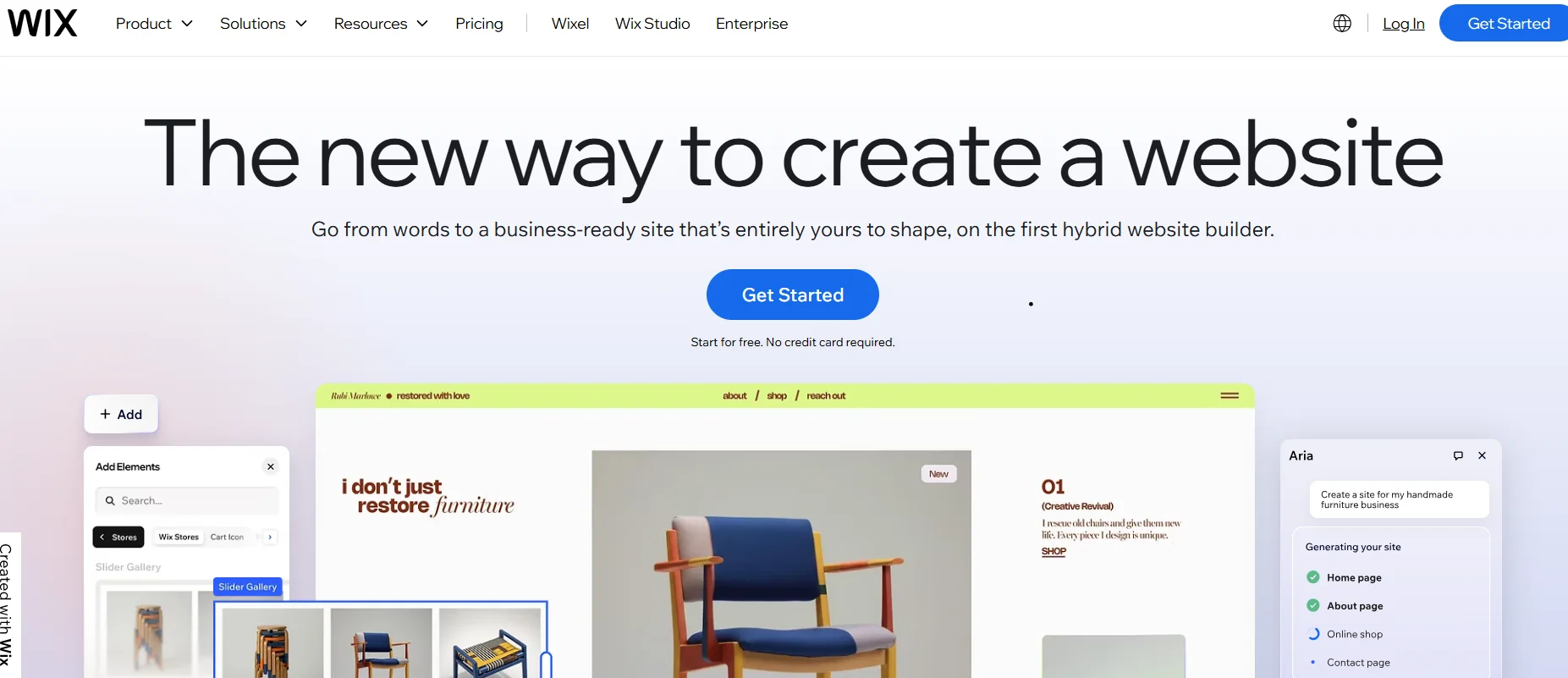
Wix is a website builder that allows people to create and run websites without writing code. Users can choose from thousands of templates designed for different fields such as online stores, restaurants, portfolios, and blogs.
They can also use an AI tool that builds a website after answering a few basic questions. The drag and drop editor lets users move text, images, buttons, forms, and videos anywhere on the page. They can adjust layout, colors, fonts, and the mobile version of the site.
Wix also covers hosting and security, including SSL certificates. It provides tools for business needs in one system. Users can create online stores, manage service bookings, publish blogs or courses, host events with ticket options, and use marketing features like SEO support, email campaigns, and social media connections.
What’s new with Wix in 2026?
Wix continues to grow in 2026 with stronger AI tools, better design control, and expanded business features. The platform makes it easier to build a professional website while keeping full control over layout and branding.
Many of these updates come through Wix Harmony, the new main creation system, and Wix Studio for users who need advanced tools.
One of the biggest changes is the launch of Wix Harmony. It combines AI-generated layouts with manual editing, so users can start with smart suggestions and then adjust every detail themselves. This approach keeps users in control while AI supports the setup process.
AI tools now play a larger role across the platform. Key upgrades include:
- A smarter Page Builder that creates improved layouts and content ideas
- A Design Assistant that fixes spacing and mobile layout issues
- eCommerce AI tools for product suggestions and inventory support
- Integration with Stripe and PayPal for sales through AI search systems
Search visibility also improves. Wix introduces tools that help websites appear in AI-driven platforms like ChatGPT and Perplexity, along with better indexing, schema updates, and accessibility improvements to support search performance.
The editor receives performance upgrades and stronger device control. Users can manage layouts for desktop, mobile, and tablet with more precision. Other improvements include:
- Faster editor loading
- Global design settings to update fonts, colors, and branding across the site
- New section libraries with ready-made layouts and animations
Business features expand as well. Online stores now offer more checkout options and advanced inventory tools through Catalog V3. Developers gain access to a VSCode-based IDE, GitHub integration, and new API options for custom app development.
Core Features of Wix
1. Website Builder and Editor

Wix uses a drag-and-drop editor that works in your browser. You can place text, images, buttons, forms, and sections anywhere on the page. Everything can be edited and published from the same dashboard.
- Drag and drop page building
- Ready sections that can be reused on different pages
- Separate mobile view editing to adjust phone layouts
The editor and dashboard are explained in Wix’s own help guides.
2. AI Website Builder

Wix includes an AI builder that creates a starter website after asking a few questions. This helps users who are not sure where to begin.
- Suggests pages based on your business type
- Creates a base layout that you can edit
- Saves time compared to starting from a blank page
You can find details on the AI builder on the official Wix website.
3. Templates Library
Wix offers a large collection of templates for different industries. These designs help users start with a structured layout instead of building from zero.
- Templates for portfolios, services, online stores, and blogs
- Built in sections such as testimonials and contact forms
- Full control over fonts, colors, and structure
Wix highlights its template collection on its homepage.
4. SEO Tools
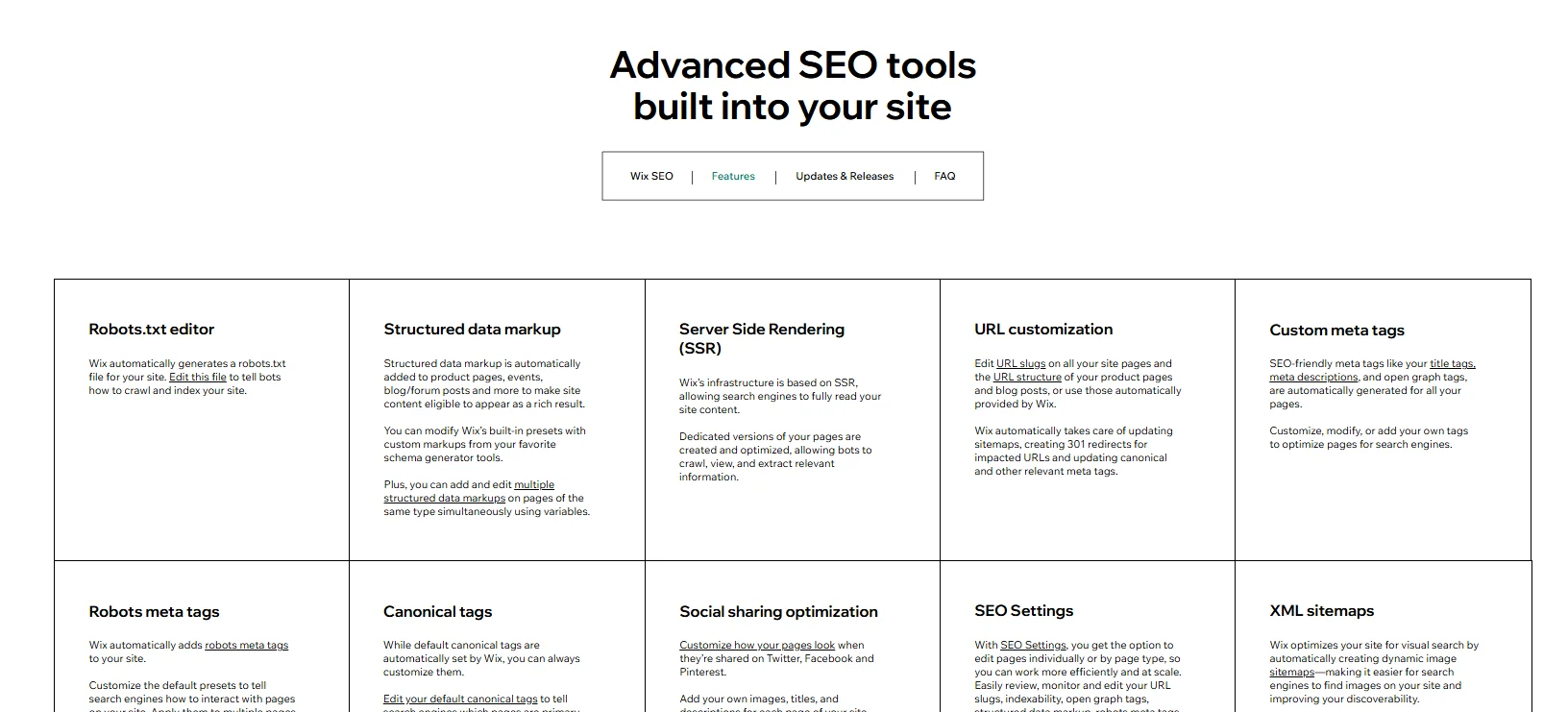
Wix provides built-in SEO settings to help search engines understand your website. Users can edit page titles, meta descriptions, and URLs. Structured data is supported for common content types like products and blog posts.
- Page-level SEO controls
- Structured data for better search results
- SEO guides and learning resources
These features are covered on Wix’s SEO pages.
5. Blogging System
Wix includes a built-in blog feature. You can create posts, group them into categories, and manage comments from your dashboard.
- Categories to organize topics
- Post settings for tags, visibility, and comments
- Composer panel for managing content details
Wix support guides explain how to manage blog categories and posts.
6. eCommerce Tools
Wix allows users to create online stores and sell products. It includes tools for checkout, payments, and store management.
- Product pages and checkout system
- Multiple payment options
- Tools for selling across channels
Details are available on the Wix eCommerce features page.
7. Shipping, Delivery, and Pickup Options
For store owners, Wix includes settings for shipping and local delivery. Customers can choose how they want to receive their orders.
- Custom shipping rules
- Local delivery setup
- Pickup options for nearby customers
These settings are managed inside the Wix Stores dashboard.
8. App Market
Wix has an App Market where users can add extra features without custom coding. This allows websites to grow based on business needs.
- Booking tools for services
- Restaurant reservation apps
- Forms and other business tools
The App Market lists different categories and integrations.
9. Analytics and Reports
Wix provides built-in analytics to track traffic and performance. Users can review reports and adjust views based on what they want to measure.
- Traffic and activity reports
- Custom filters and report views
- Store reports for sales and orders
Support pages explain how to customize analytics reports.
10. Performance and Core Web Vitals
Wix offers guidance on site performance and explains Core Web Vitals metrics. These metrics relate to loading speed and user experience.
- Explanation of performance metrics
- Tips to improve loading and browsing
- Connection between performance and SEO
Wix provides support articles that explain these metrics.
11. Security and Compliance
Wix includes built-in security features and publishes information about compliance standards. This is important for sites that collect payments or customer data.
- SSL certificates for websites
- Security framework and compliance details
- PCI compliance information for Wix Payments
Security information is available through the Wix Trust Center.
12. Wix Studio for Agencies
Wix Studio is built for agencies and larger teams that manage multiple projects. It replaces Editor X and provides a shared workspace for advanced builds.
- Designed for agencies and professional teams
- Central dashboard for project management
- Transition path for former Editor X users
Wix Studio details can be found on the official Wix website.
User Interface of Wix: How It Feels to Use
Wix is organized around two main areas: the Dashboard and the Editor. You access both from the same account. The Dashboard is where you manage your site settings and tools. The Editor is where you design and change your pages. Together, they form the main working environment of Wix.
1. Wix Dashboard: Your Site Control Center
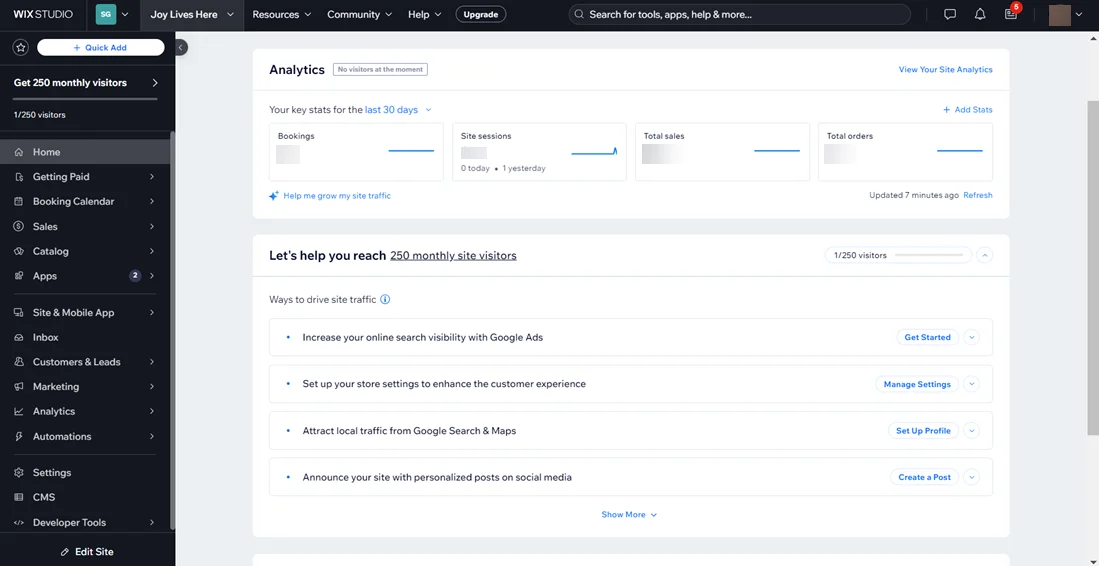
The Dashboard acts as the management hub for your website. It keeps important tools in one place so you do not need outside systems for basic tasks.
Main sections inside the Dashboard include:
- Site setup and general settings
- Marketing and SEO tools
- Analytics and reports
- Site speed and security overview
Wix explains the Dashboard layout in its support guide, which shows how everything connects inside your account.
2. Wix Editor: The Design Workspace
The Editor is where you build and adjust your pages. You open it from the Dashboard using options like “Edit Site” or “Design Site.”
Inside the Editor, you will find:
- A central page canvas that shows your live layout
- An Add panel to insert text, images, buttons, and sections
- Settings panels for layout, spacing, fonts, and design
- Preview and Publish buttons within the same workflow
Wix provides a guide that walks through the editor layout and tools.
3. Mobile Editing: Control for Phone Screens
Credit: Wix
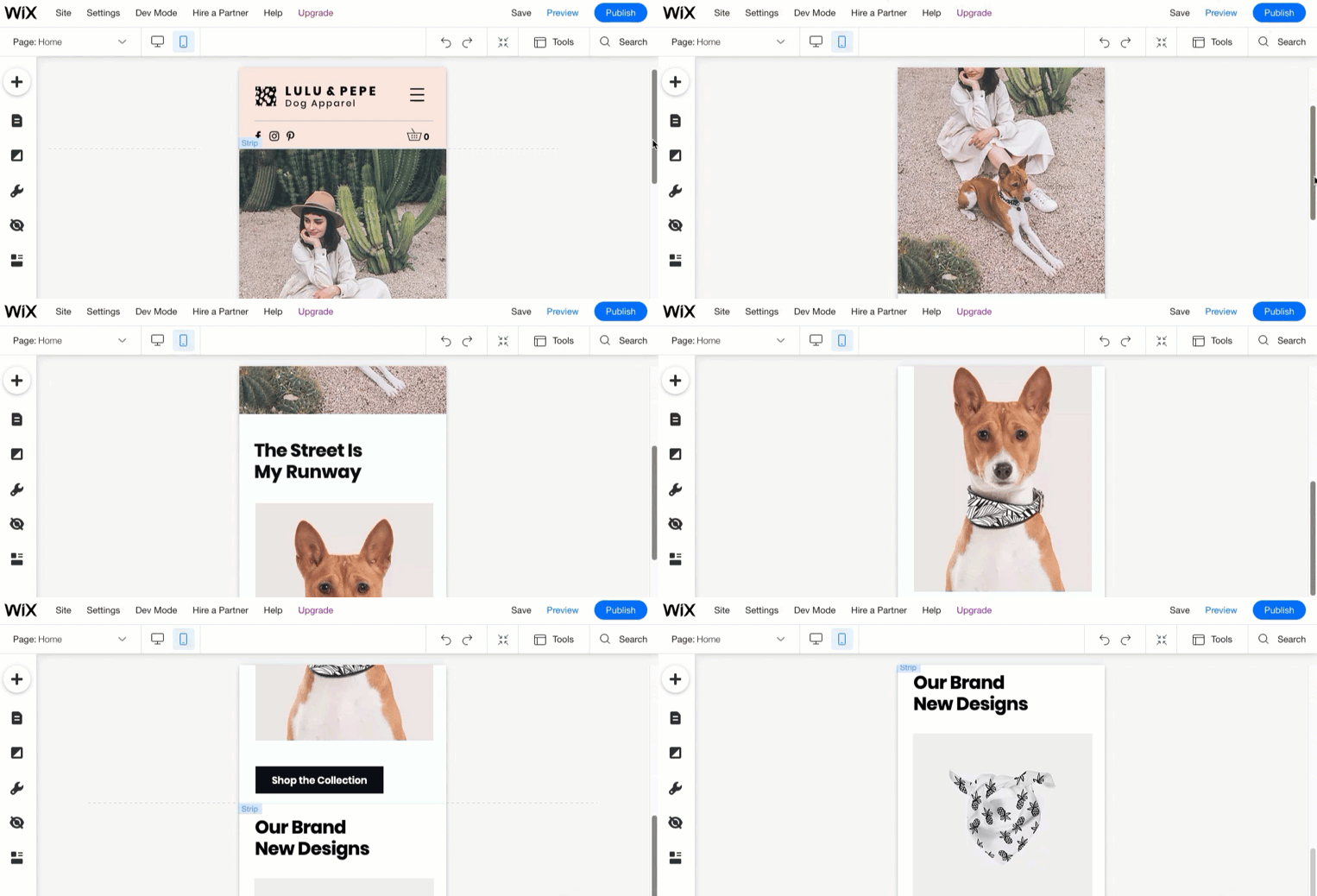
Wix includes a separate mobile editing mode. You switch from desktop view to mobile view using an icon inside the Editor.
In mobile mode, you can:
- Hide elements that do not fit smaller screens
- Change spacing and adjust section order
- Improve usability for phone visitors
Wix explains this feature in its mobile editor documentation.
4. Wix Studio: Workspace for Teams
Wix Studio is built for agencies and teams that manage multiple websites. It introduces a shared workspace where team members can manage projects together.
Wix describes this workspace as a central area for handling sites within a team structure.
Performance of Wix: What Affects Speed
Website speed on Wix depends on what you build. Pages with large images, many apps, long sections, or heavy design elements may take more time to load. Wix tracks performance through Core Web Vitals and its own Site Speed dashboard.
1. Core Web Vitals Support
Wix explains Core Web Vitals as metrics that measure visitor experience on a website. These metrics are tied to real user data.
For site owners, this means:
- Performance data is based on measurable standards
- You can track experience metrics linked to real visits
- Speed connects to both user experience and search visibility
Wix provides support articles that explain how these metrics work.
2. Wix Site Speed Dashboard
Wix includes a Site Speed dashboard inside your account. This section shows how your site performs and provides suggestions for improvement.
The dashboard offers:
- A view of current loading speed
- Steps to improve performance within Wix
- A central place to monitor speed over time
This allows users to manage performance without leaving the platform.
3. Wix Metrics and Google PageSpeed Insights
Wix explains that Google PageSpeed Insights measures performance on desktop and mobile devices. It also uses data from Chrome User Experience reports.
A simple approach is:
- Use the Wix Site Speed dashboard for ongoing tracking inside your account
- Use Google PageSpeed Insights for an outside performance check
Both views help you understand how your site performs.
4. Common Performance Practices
Wix suggests checking the Site Speed dashboard for detailed insights. It also monitors several performance indicators, including Core Web Vitals.
Typical actions that improve Wix site speed include:
- Keeping page layouts focused instead of adding too many sections
- Limiting apps and third-party widgets to what is needed
- Reducing image and video file sizes before uploading
These steps help maintain a balanced design and better loading performance.
Pros and Cons
Pros
- Drag and drop editor that is simple for beginners
- Large template library to start with a ready design
- AI builder that creates a starter website
- Built-in SEO tools with structured data support
- Online store tools for products, payments, and shipping
- App Market with tools for bookings and restaurants
Cons
- Free plan shows Wix ads and uses a Wix subdomain
- Many features require a paid plan
- Adding too many apps can make the site harder to manage
How Much Does Wix Cost?

Wix offers one free plan and several paid plans. The price depends on what type of website you want to build, such as a personal site, business website, or online store.
1. Free Plan
Wix allows users to create and publish a website at no cost. This option works best for testing the platform or building a simple personal site.
What the free plan includes:
- A Wix subdomain that ends with “wixsite.com”
- Wix branding displayed on your website
- Limited storage, up to 500 MB
- Limited bandwidth, up to 1 GB
Because of these limits, most businesses choose a paid plan.
2. Paid Plans
Wix provides several premium tiers for different needs.
Light Plan – $17 per month
This plan suits users who want a custom domain and no Wix branding.
- Good for portfolios, resumes, and basic business sites
- Includes 2 GB of storage
Core Plan – $29 per month
This is the starting option for selling products or services online.
- Supports payment acceptance
- Includes basic online store features
Business Plan – $39 per month
Designed for growing businesses that need more tools.
- Suitable for stores with more products
- Includes added marketing and collaboration features
- Offers increased storage
Business Elite Plan – $159 per month
Built for larger operations and teams.
- Suitable for high traffic or large stores
- Includes unlimited storage
- Allows more team members to manage the site
Wix also notes that pricing may change over time.
3. Additional Costs to Consider
Beyond the base plan, there are other expenses to keep in mind.
Domain Renewal
Most paid plans include a free domain for one year. After that, you must pay for renewal each year.
Apps and Add-ons
Wix has an App Market where users can add extra features. Some apps are free, while others require monthly fees. The total cost depends on which tools you install.
Business Email
If you want a custom email address such as [email protected], this usually comes as a separate service, often through providers like Google Workspace. This cost is not included in most Wix plans.
Customer Support Offered by Wix
Wix provides several ways to get help. Users can search the Help Center for answers or contact Customer Care through chat, phone callback, or email. The available options may depend on language, region, and the type of problem.
1. Wix Help Center
The Help Center is the main place for self service support. It includes detailed guides and answers for common questions about building a website, managing billing, connecting domains, and using business tools.
What you will find:
- Step by step setup guides
- Troubleshooting articles
- Clear topic sections such as website creation, account and billing, and domain connection
Most users start here before contacting support.
2. Wix Customer Care
If you cannot solve your issue through articles, you can contact Wix Customer Care. The support system allows you to describe your issue first. Then you can choose a contact method based on what is available in your region.
Main contact options include:
- Live chat support
- Phone callback service
- Email support
Wix shares support hours based on language and location.
3. Support for Paid Plans
Wix states that premium plans include access to customer support along with other benefits like removing Wix ads and connecting a custom domain. Users on paid plans can request help as part of their subscription.
4. Community Forums
Wix also offers a community forum, especially through the Wix Studio Community. This space allows users to ask questions, share advice, and discuss design or technical topics with other members.
This option works well for users who prefer peer discussion and shared experience.
5. Learning Resources and Courses
For users who want to improve their skills, Wix provides educational content through Wix Learn. This section includes courses and tutorials about website building, design, and business tools.
These resources are useful when you want to understand the platform better instead of fixing a specific issue.
FAQs
Can I use Wix for free?
Yes, Wix offers a free plan, but it includes ads and limited features.
Does Wix support e-commerce?
Yes, Wix provides all the tools needed to create an online store.
Is Wix SEO-friendly?
Yes, Wix offers built-in SEO tools to help optimize your website for search engines.
Can I change my Wix template after publishing?
No, once a template is chosen and your site is live, you cannot switch templates.
Does Wix offer email marketing tools?
Yes, Wix includes email marketing features for building campaigns and sending newsletters.
Quick Links:
- Manychat Review: Is Chat Automation Still Effective?
- Ontraport Review: Best Tool For Marketing Automation?
- WordPress Review: Best Choice for Your Website?
- Instapage Review: Still the Best Landing Page Builder?
Final Thoughts: Is Wix Worth It?
Wix overall is a reliable and easy-to-use website builder for beginners, creators, and small businesses. It offers design flexibility, built-in business tools, and hosting in one place.
If you want to build a professional website without coding and manage everything from a single dashboard, then you should consider it.