
Anthropic’s Claude can now sign into websites and finish tasks for you, and it never touches your passwords. On July 16, 2026, 1Password launched a new browser integration called 1Password for Claude.
It lets the AI agent log in using your saved credentials, while the passwords and codes stay hidden from Claude, its memory, and Anthropic’s systems. The feature is live now for Mac users. Here’s how it works and why it matters.
The Problem It Solves
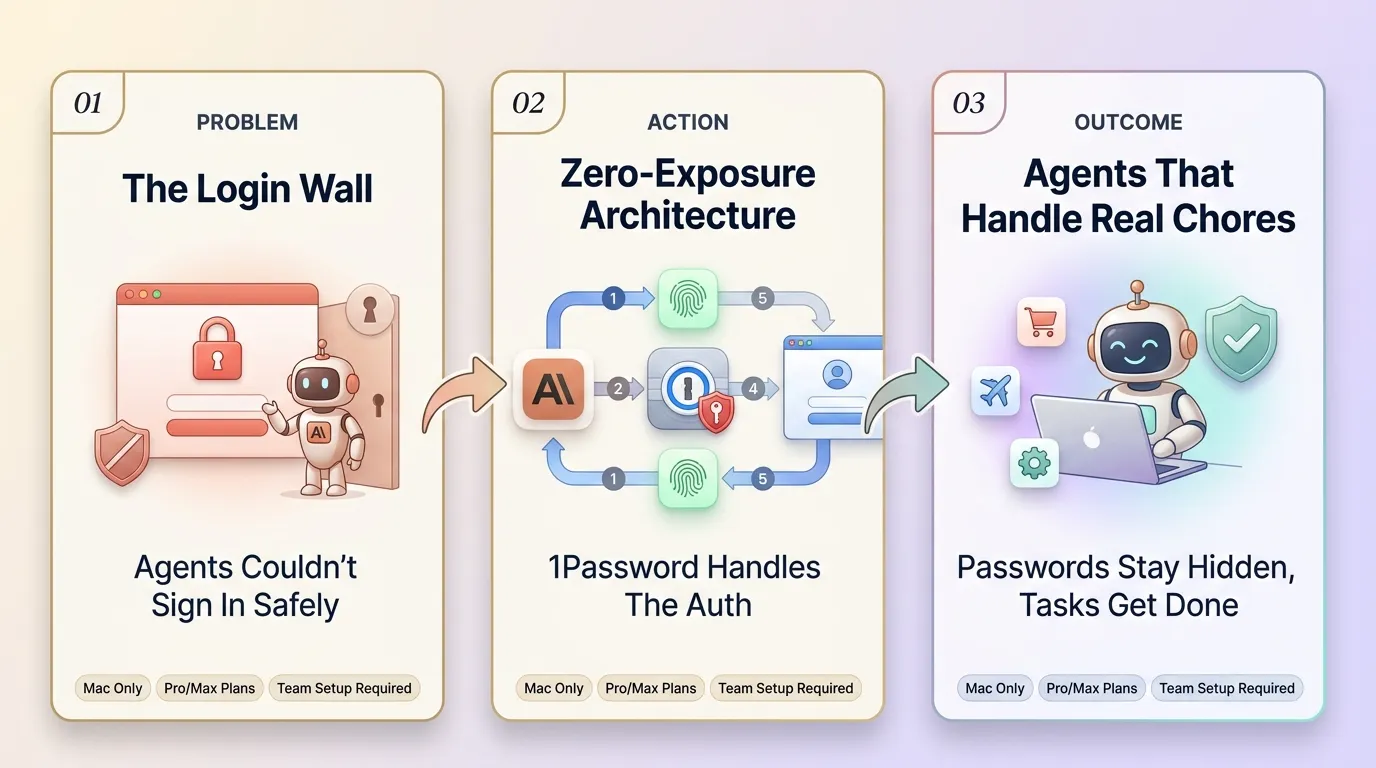
AI agents are moving from thinking to doing. Claude can compare deals, add items to your cart, update account details, and complete a purchase. But there was always one wall: the login page.
Until now, letting an agent sign in meant handing it your password as plain text. That exposed your secret to the model. The only other choice was to stop and log in yourself, which defeats the point of an agent.
1Password calls its fix a “zero-exposure architecture.” The password never enters the AI. Here’s the flow:
Claude hits a login page during a browser task
1Password asks you to approve, showing which credential it wants and why
You approve with a biometric check, like Touch ID
1Password injects the login directly into the page
Claude never sees the vault item, password, or one-time code
Access ends when the task is done
There are safety nets too. After autofill, 1Password checks that no secrets are left exposed on the page. If a login fails, it clears the filled values before handing control back to Claude.
Agentic Mode And What Comes Next
Alongside the Claude feature, 1Password is rolling out Agentic Mode for all users of its browser extension. When an AI agent takes over the browser, the extension locks itself down.
It hides its interface and limits access to only the credentials approved for that task. This works even without the Claude integration set up, and it supports other agents too.
“We need a new security model that is purpose-built for agents, not just humans,” said Nancy Wang, CTO of 1Password. “The answer isn’t handing agents your secrets.”
This builds on a partnership first announced in March. 1Password is positioning itself as the access layer for AI agents, with integrations reaching OpenAI’s Codex and Amazon’s Kiro tool.
A few things to know before you try it:
You need four apps: the 1Password desktop app, its browser extension, the Claude desktop app, and Claude in Chrome
Mac only at launch, on paid Claude plans
Not yet supported: passkeys and saved payment cards
Team and Enterprise: an owner must switch it on first
For anyone who wants Claude to handle real chores like booking travel or managing accounts, this closes the biggest gap that held agents back.
Quick Links: