

Undetecable.io protects your online privacy by hiding your IP and encrypting your connection. It stops websites from tracking you and lets you browse anonymously. Use it to secure your personal information and avoid online tracking.
- Protects your online privacy by hiding your IP and encrypting your data.
- Stops websites from tracking your activity.
- Easy to use and set up.
- Lets you access content blocked in your region.
- No logs policy, ensuring your browsing history is not stored.
- Provides secure browsing on public Wi-Fi networks.
- Offers fast and reliable connections for smooth browsing.
- May not be compatible with all devices.
- Requires a subscription for full access.
- Speed can vary depending on server location.
Price: $49/ Month
Undetecable.io is an antidetect browser designed to help users maintain privacy and security while browsing the internet. It promises to hide your IP, encrypt your connection, and prevent websites from tracking your activity.
With growing concerns about online surveillance and data collection, services like Undetectable.io aim to offer more control over your digital footprint. But is it really worth it?
Let’s take a closer look at Undetecable.io’s review, its features, and see if it delivers on its promises.
Quick Overview of Undetecable.io
| Particular | Details |
| Brand name | Undetectable.io |
| Product Offered | Antidetection browser |
| Operating systems | Windows and macOS |
| Pricing Starts | $10 per month |
| Pricing Model | Subscription |
| Payment Options | Payments are accepted through Cryptocurrencies, Capitalist, and ATM cards |
| Customer Support | Email, Skype and Telegram |
| Countries | Worldwide |
| Trial Available | Yes |
| Refund Policy | Yes, within 30 days |
Overview of Undetectable.io
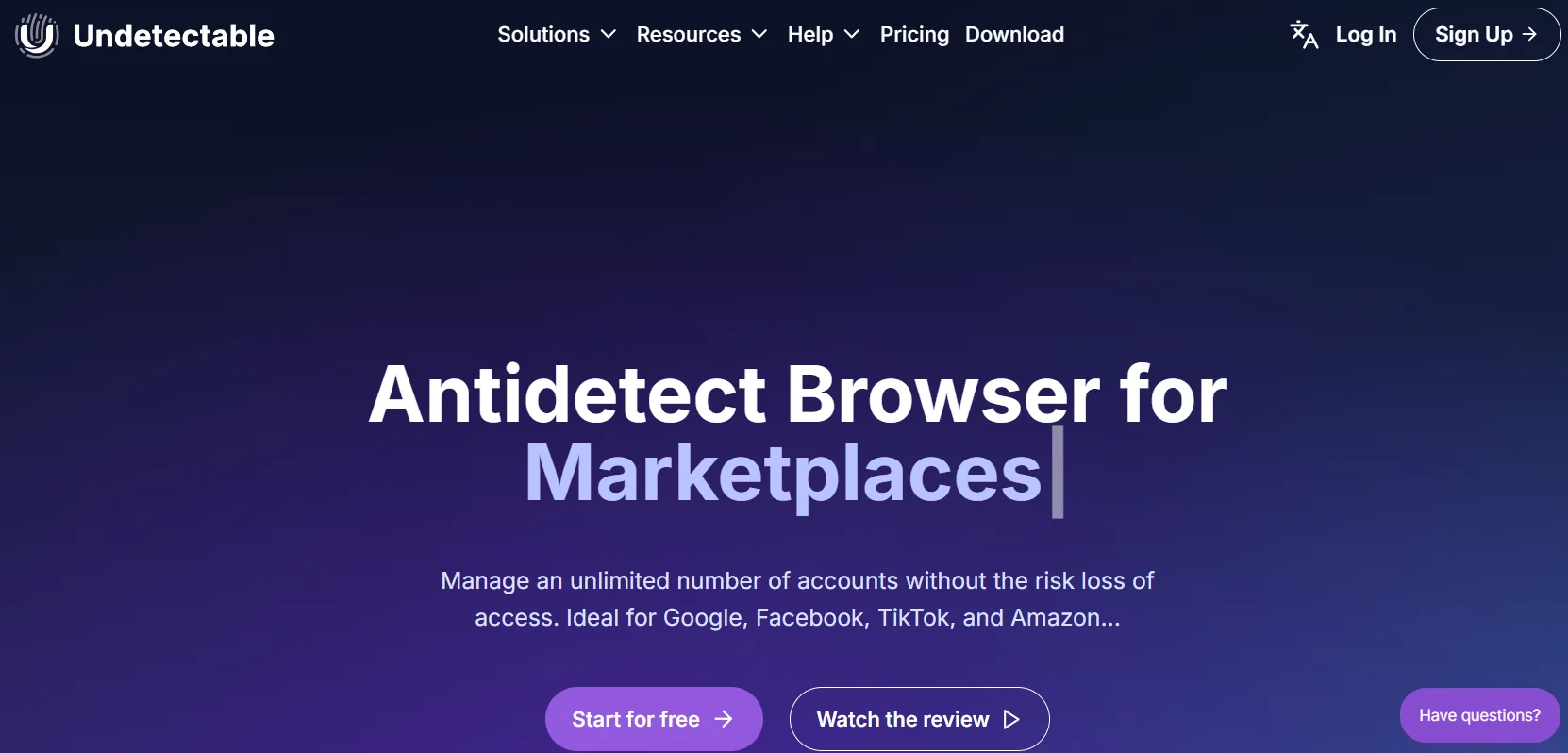
Undetecable.io is an antidetect browser designed to help users maintain online privacy and manage multiple accounts without detection. Unlike standard browsers, it alters various system parameters such as IP address, browser fingerprint, and device information to make each browsing session appear as if it’s from a unique user.
This approach aims to prevent cross-session and cross-account linking. It’s particularly useful for tasks like web scraping, managing multiple social media profiles, or accessing region-restricted content.
By simulating human-like behavior and providing tools for profile customization, Undetecable.io aims to offer a higher level of anonymity than traditional methods like proxy use alone.
However, it’s important to note that while it enhances privacy, no solution can guarantee complete undetectability.
Key Features of Undetectable.io
✅IP Masking: Undetecable.io hides your real IP address, making it difficult for websites to track your location or online activity. This ensures greater privacy and helps you remain anonymous while browsing.
✅Encryption: The service encrypts your internet connection, which means that any data you send or receive is secure. This prevents hackers, government agencies, or anyone else from intercepting and reading your sensitive information.
✅Browser Fingerprint Protection: Undetecable.io alters your browser fingerprint, making it harder for websites to identify and track you based on your device and browser settings. This feature helps in maintaining your anonymity.
✅Access Restricted Content: The service allows you to bypass geo-restrictions and access content that is normally unavailable in your region. Whether it’s streaming platforms or websites, you can easily access them from anywhere in the world.
✅No Tracking: Undetecable.io blocks tracking tools like cookies, preventing websites from collecting data on your browsing activity. This keeps your online movements private and secure.
✅Multiple Device Support: Undetecable.io works on both Windows and macOS, ensuring that users on different platforms can take advantage of the service to maintain their privacy and security while browsing.
✅Secure Payment Methods: For privacy-conscious users, Undetecable.io accepts payments through cryptocurrencies, in addition to regular payment methods like credit and debit cards, so you can keep your transaction details secure.
✅Customer Support: The platform offers customer support through various channels, including email, Skype, and Telegram, ensuring you can easily get help if you face any issues while using the service.
Who is Undetectable.io Ideal For?
- Marketing agencies: With this solution, marketing agents can manage multiple accounts of clients while keeping their online identities anonymous.
- Dropshipping and e-commerce: Solopreneurs can easily handle and manage their multiple brands and stores online. Additionally, ship goods without revealing their details
- Brand protection: Brands can use this service to access websites from geo-restricted locations to keep an eye on their counterfeit products and take further action if needed.
- Price comparison: Individuals can use this anti-detect browser to find and compare the prices of their desired products in the global market without being tracked.
Pros and Cons of Undetectable.io
Pros
- Efficient teamwork with cloud profiles.
- It has an in-built cookie bot for profile warm-ups
- Import and export of profiles, cookies, and proxies
- Browser, hardware, and OS randomizer
- Confidentiality and protection against financial scams
Cons
- The price plans are on the expensive side
- They do not offer an Android app
How much does Undetectable.io cost?
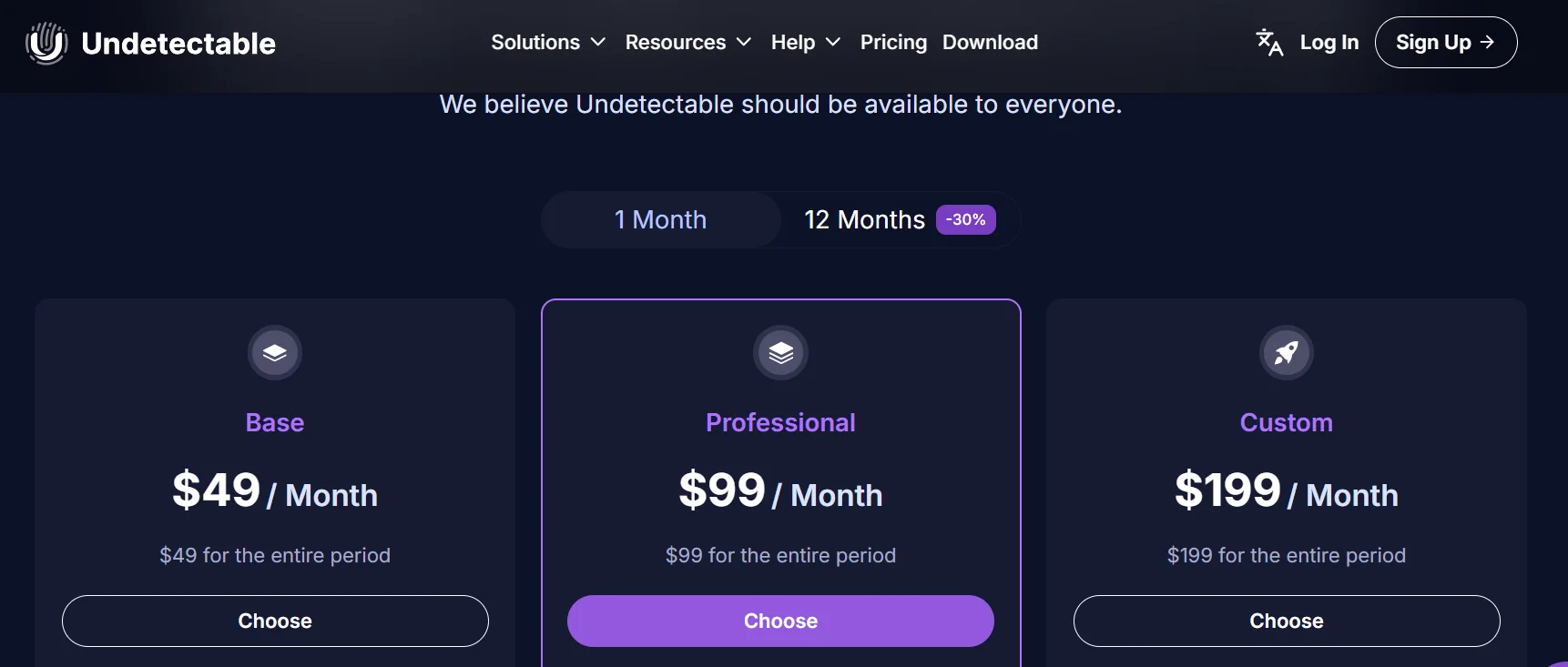
| Plan Name | Monthly Cost | Annual Cost | Features and Benefits |
|---|---|---|---|
| Base Plan | $49/month | $49 for the entire period | Supports 1 user, 5 cloud profiles, 10 browser configurations, Chrome extension, option to increase cloud profile limit (chargeable) |
| Professional Plan | $99/month | $99 for the entire period | Supports 2 users, 100 cloud profiles, 50 browser configurations, export profiles, Chrome extension |
| Custom Plan | $199/month | $199 for the entire period | Supports 5 users, 200 cloud profiles, 100 browser configurations, all features in Professional Plan, additional profiles (chargeable) |
How Do I Sign Up?
Signing up on this platform is an extremely simple task. Just follow these quick steps.
Step 1: Visit the official website of Undetectable.io and click on the pricing section
Step 2: Be it for a paid plan or a free trial, the process to sign up remains the same. This guide will help you avail yourself of a free trial. So click on the select icon under the free plan.
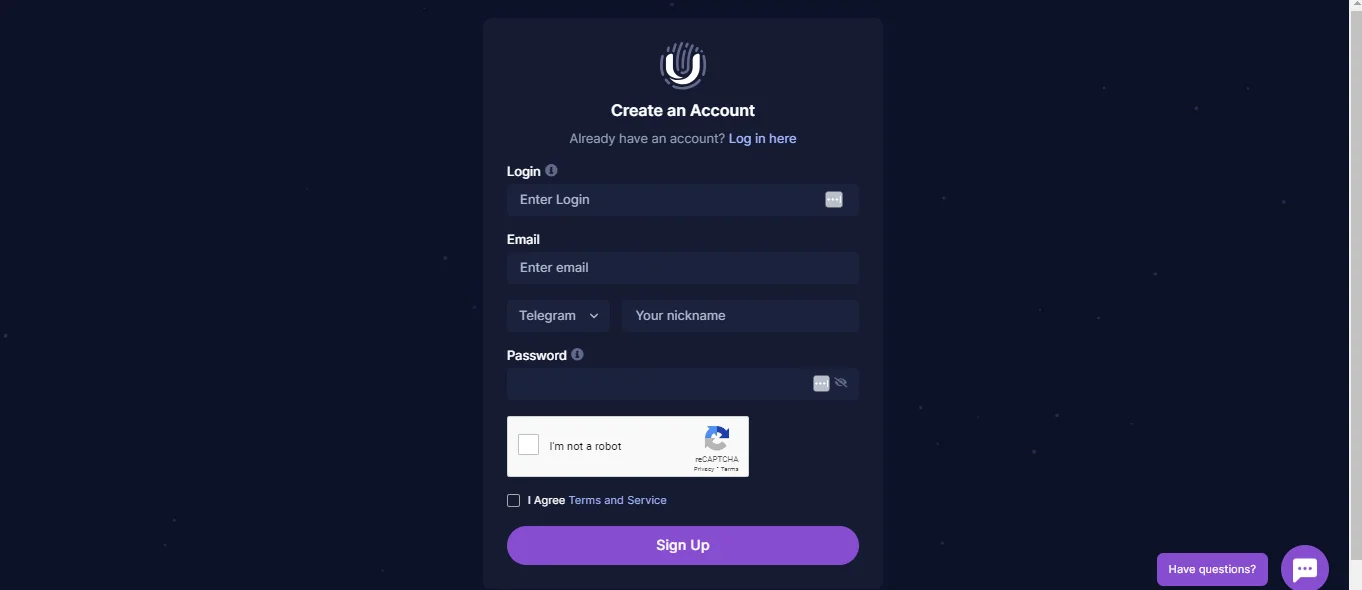
Step 3: You’ll be redirected to another page where you need to fill in the following details: login name, email ID, username, and verification code. Make sure you add a valid email address, as you will need to verify your sign-up through it.
Step 4: Activate your account by adding the OTP as requested
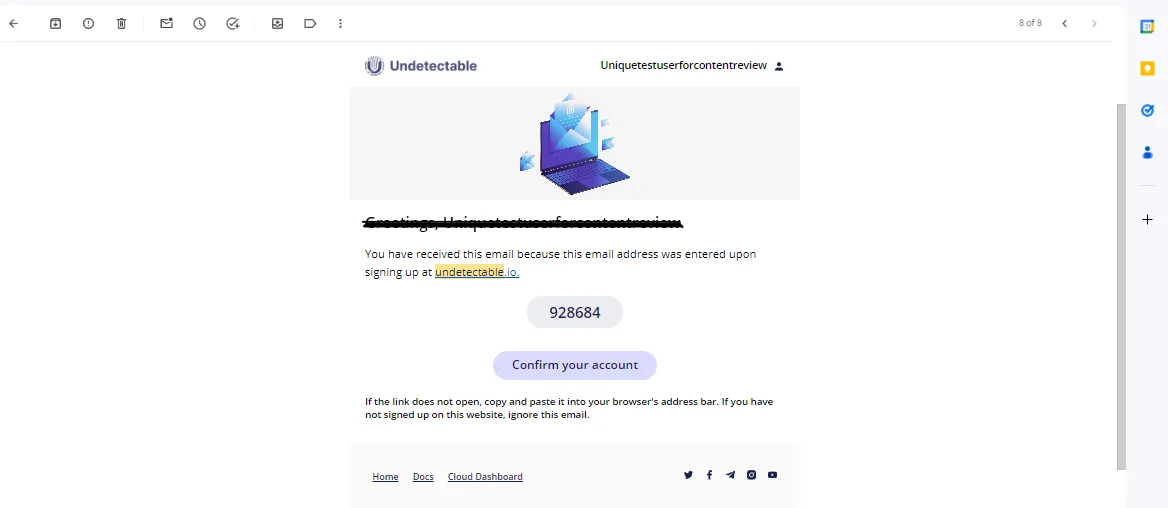
And that’s it you’ve successfully created an account on Undetectable.io.
A Quick Overview of The Cloud Dashboard

The dashboard here offers the following set of fields. We’ll quickly walk over all these fields.
The fields available on the headnote are
- My account
- Users
- Profiles
- Groups
- Roles
- Configuration
- Sessions
- Service
- Download
1. My Account
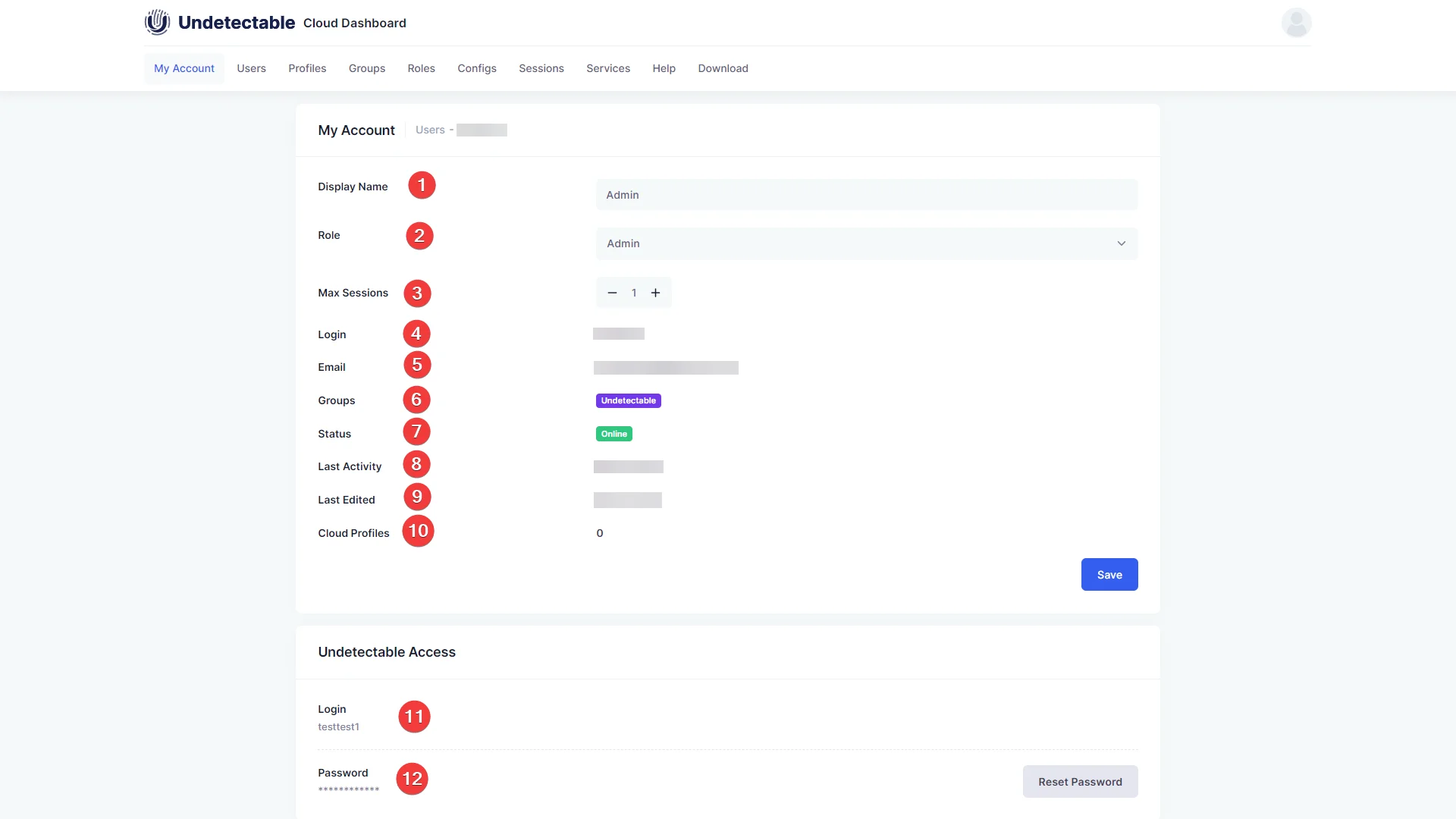
All the basic user details are stored here. This data includes the user name, user login, current role, email address, number of running sessions and cloud profiles, date of last activity and changes, current user status, and group details.
2. Users
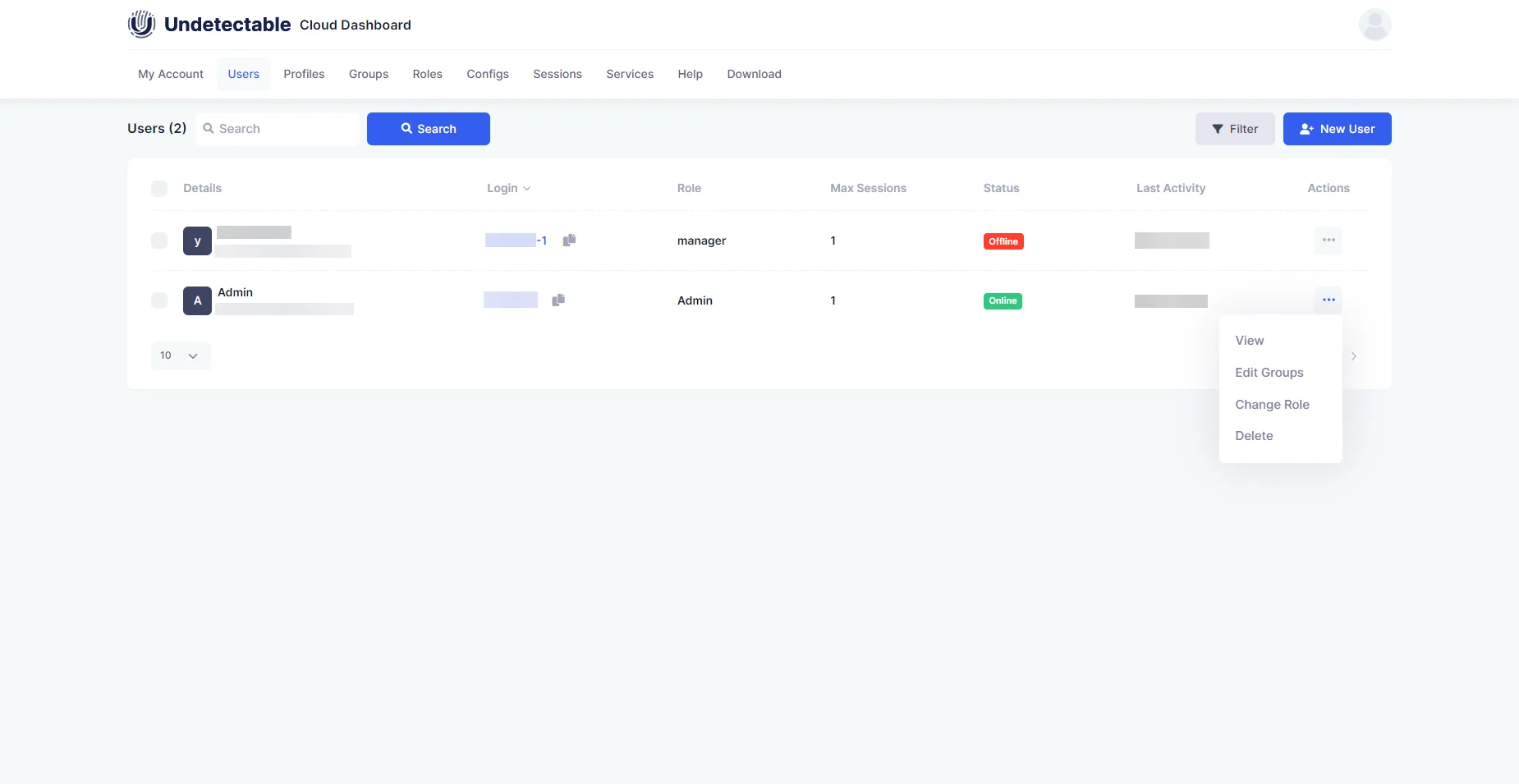
The user section lets you have a glance at all the basic details about your team, their roles, and the group they are in. You can add users as well as add users to a group.
3. Profile
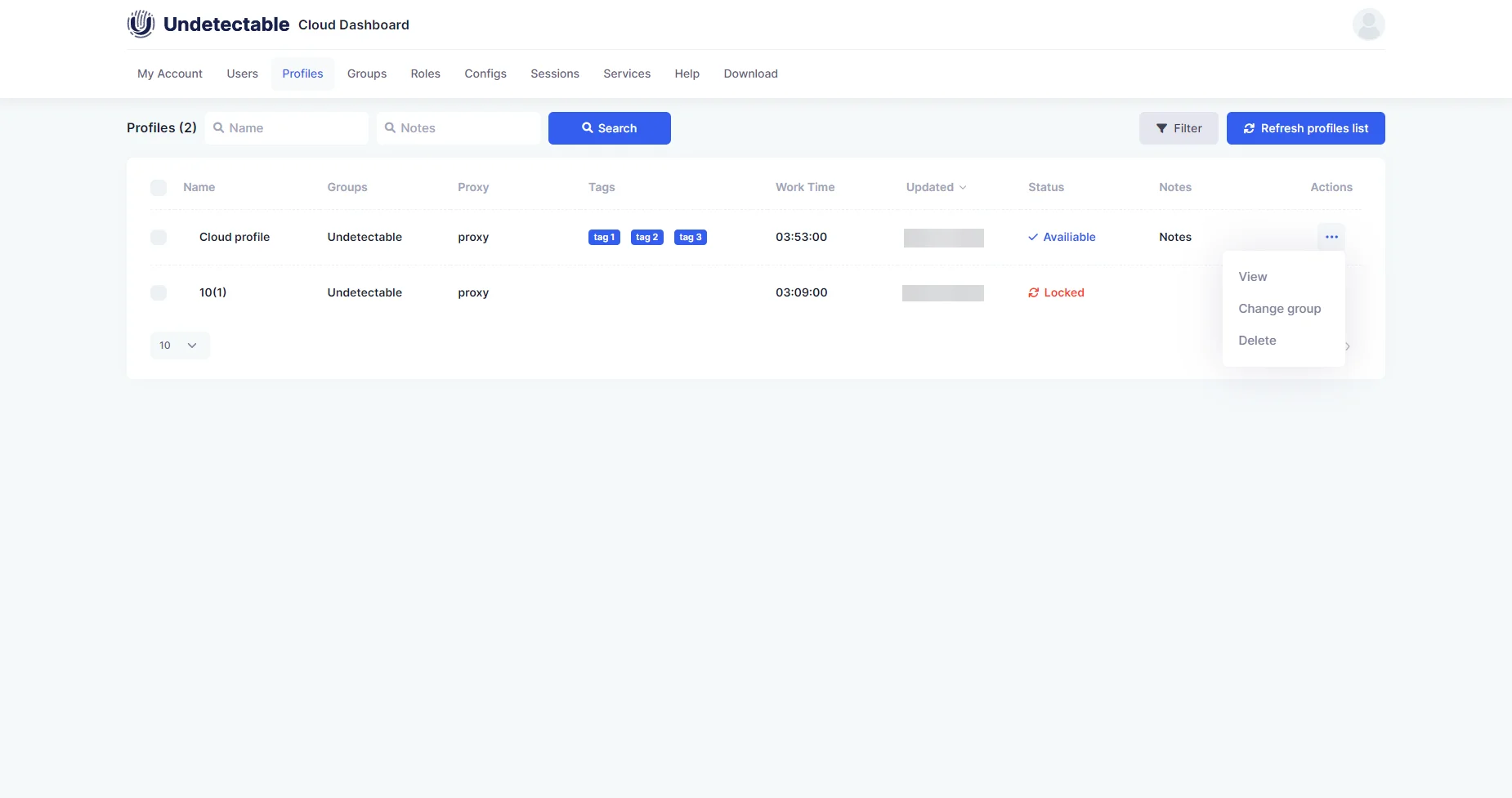
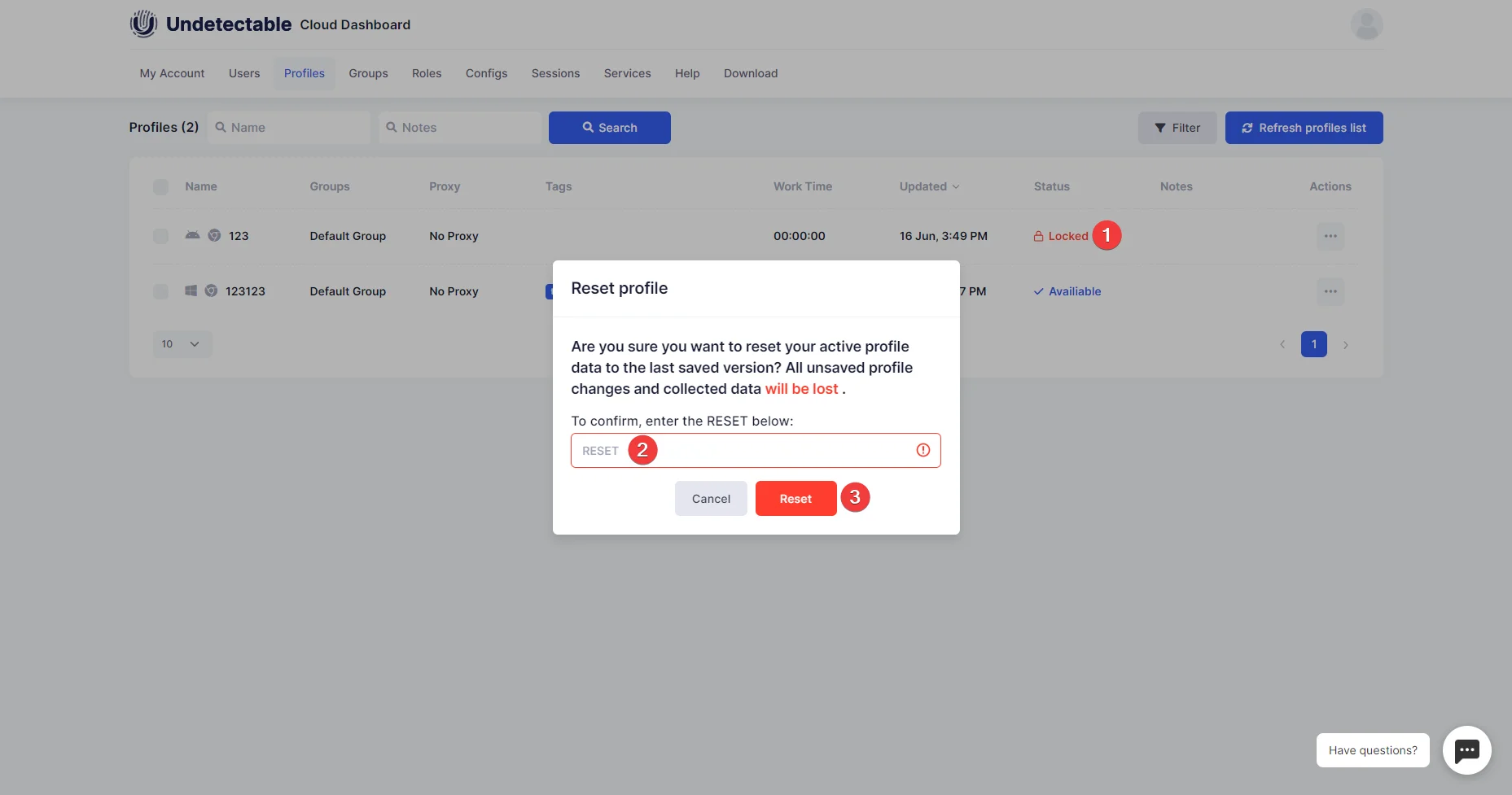
The profile section helps you view and monitor all the cloud profiles. Through this section, you can also transfer, block or unblock any of the cloud profiles
4. Groups
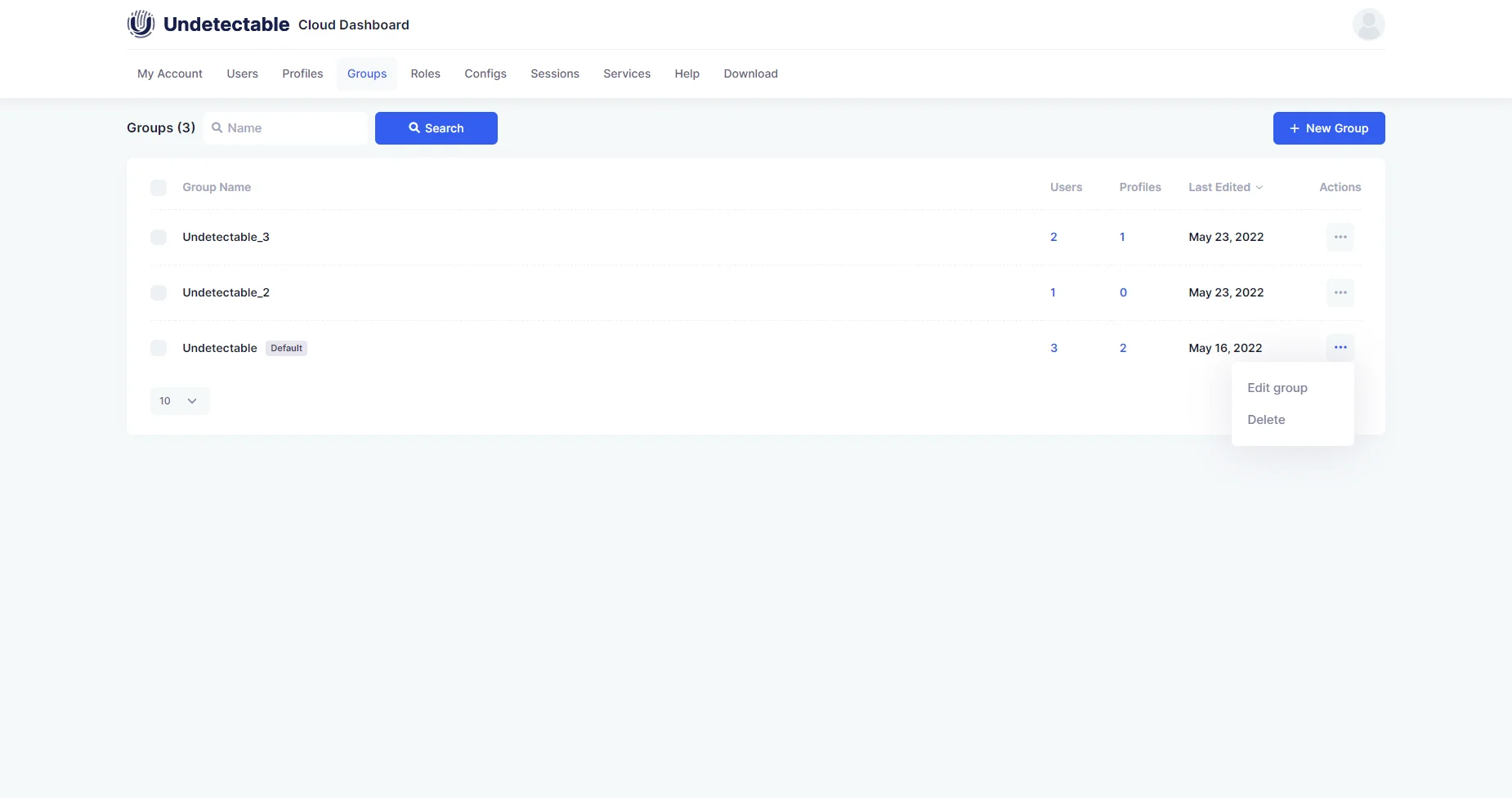
You can manage all your profiles and groups through this section. This feature helps you create separate subcommands for easy task delegation and collaboration.
5. Roles
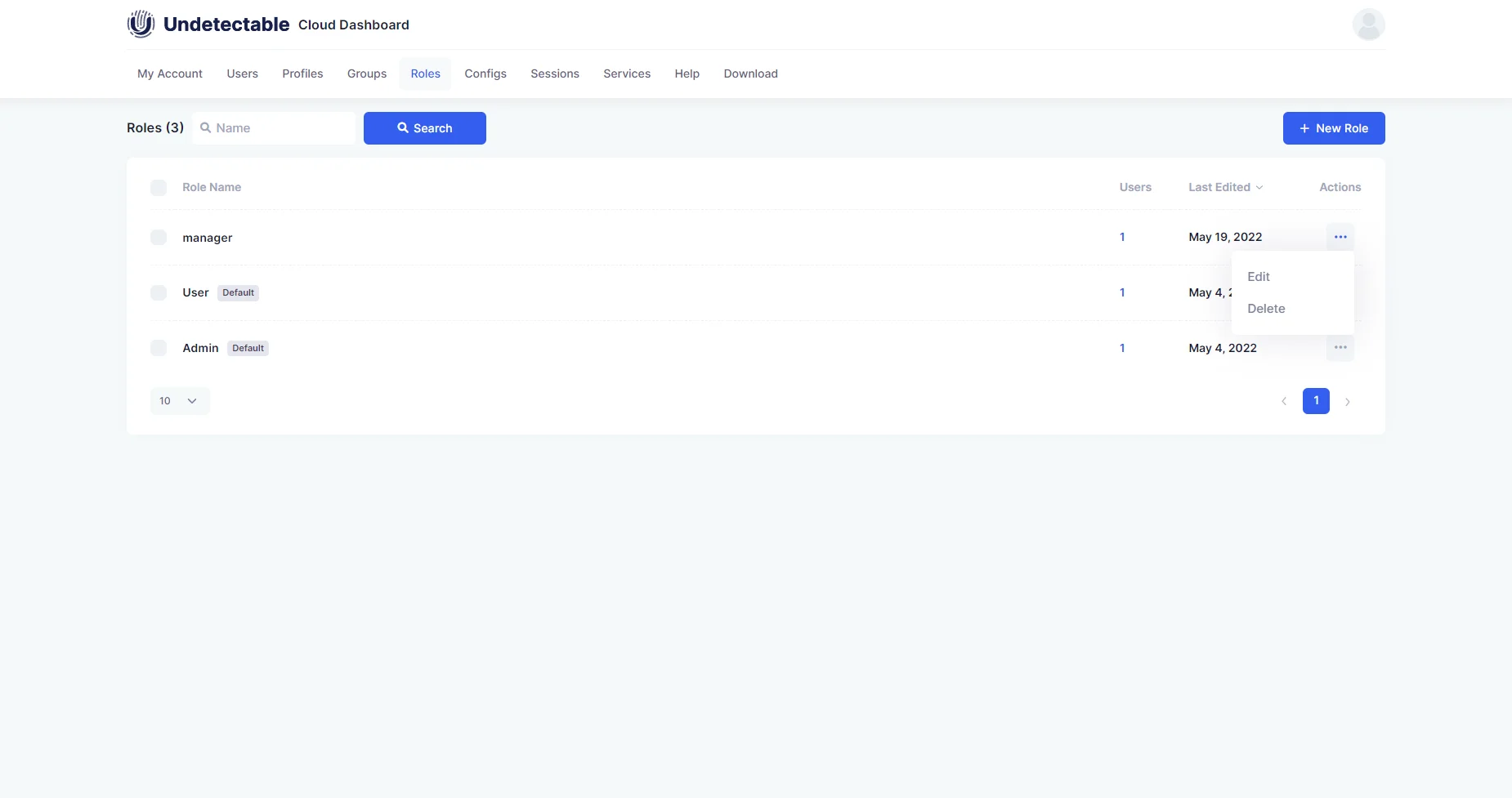
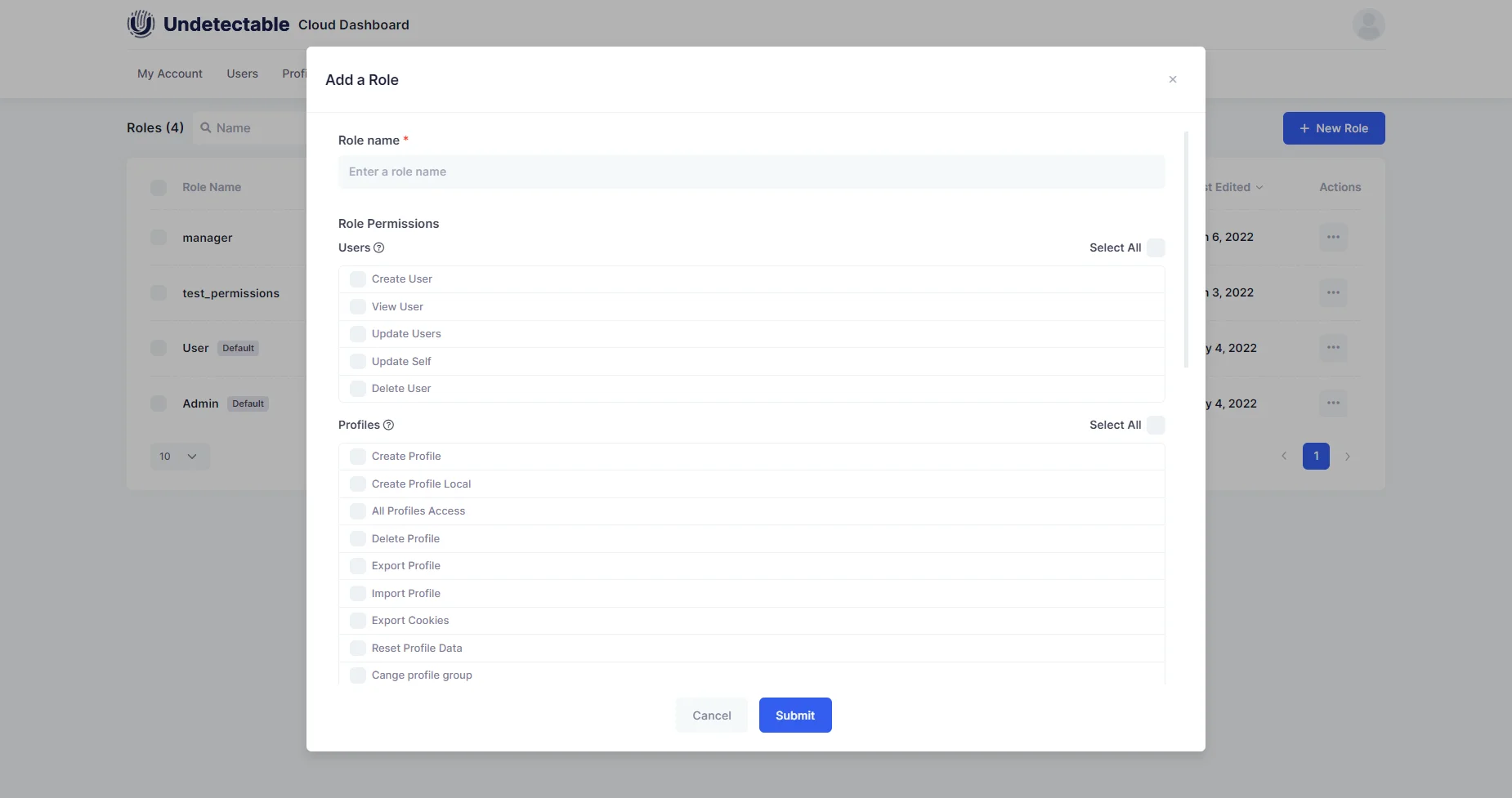
This section helps you manage all user access. 2 roles are created by default: admin and user. Undetectable.io also lets you manually create roles if needed with the help of the permission list.
6. Configurations
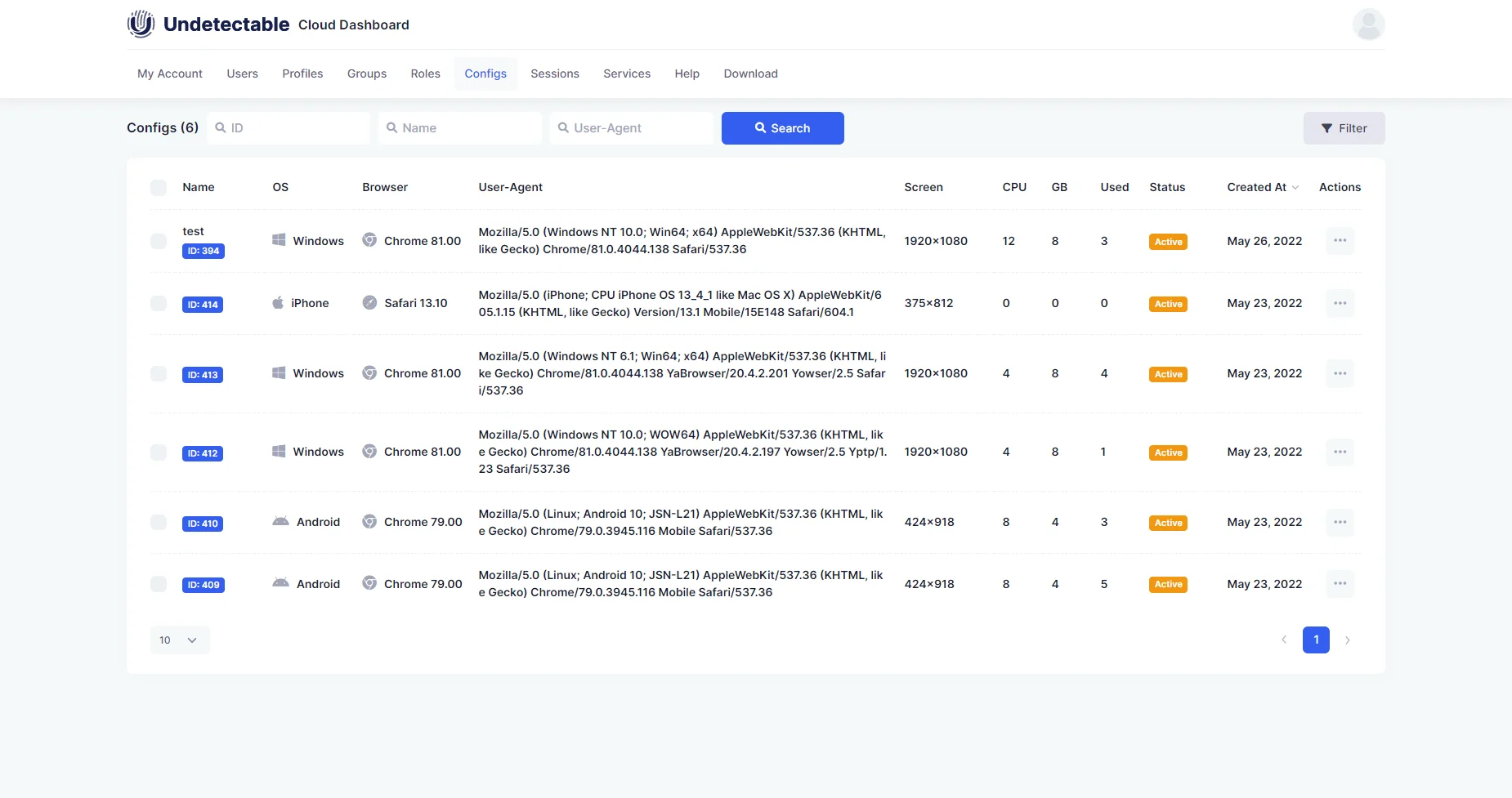
This section helps you manage all your purchased configurations. Under this section, you can view all the details of the configuration, set their names, and disable any if needed.
7. Sessions
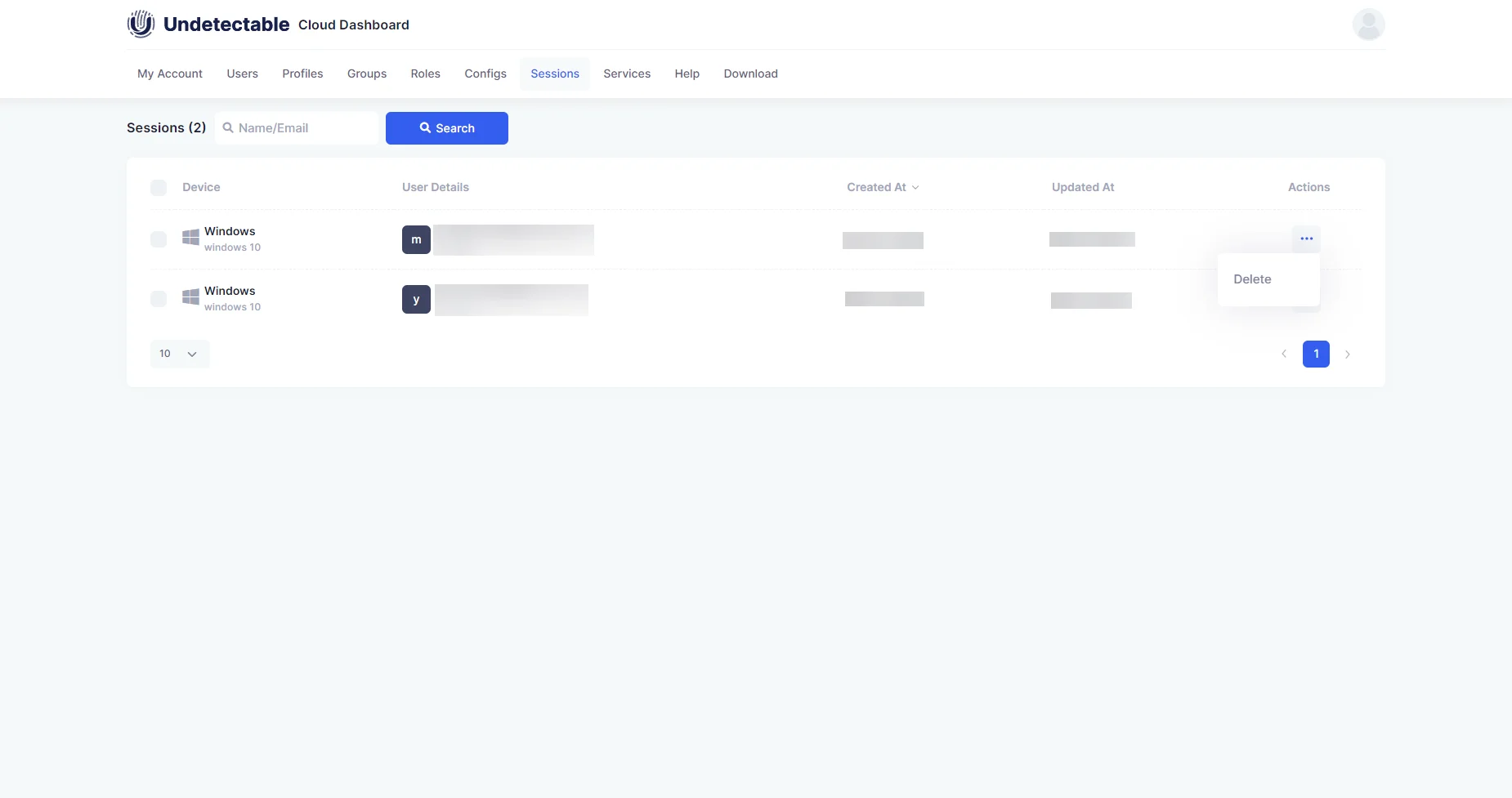
This section helps you keep an eye on user activity and force shut them. There are two alternatives for you to close the sessions, which are either by
- Using the action button and choosing to delete or
- Using the checkbox and the delete icon
8. Services
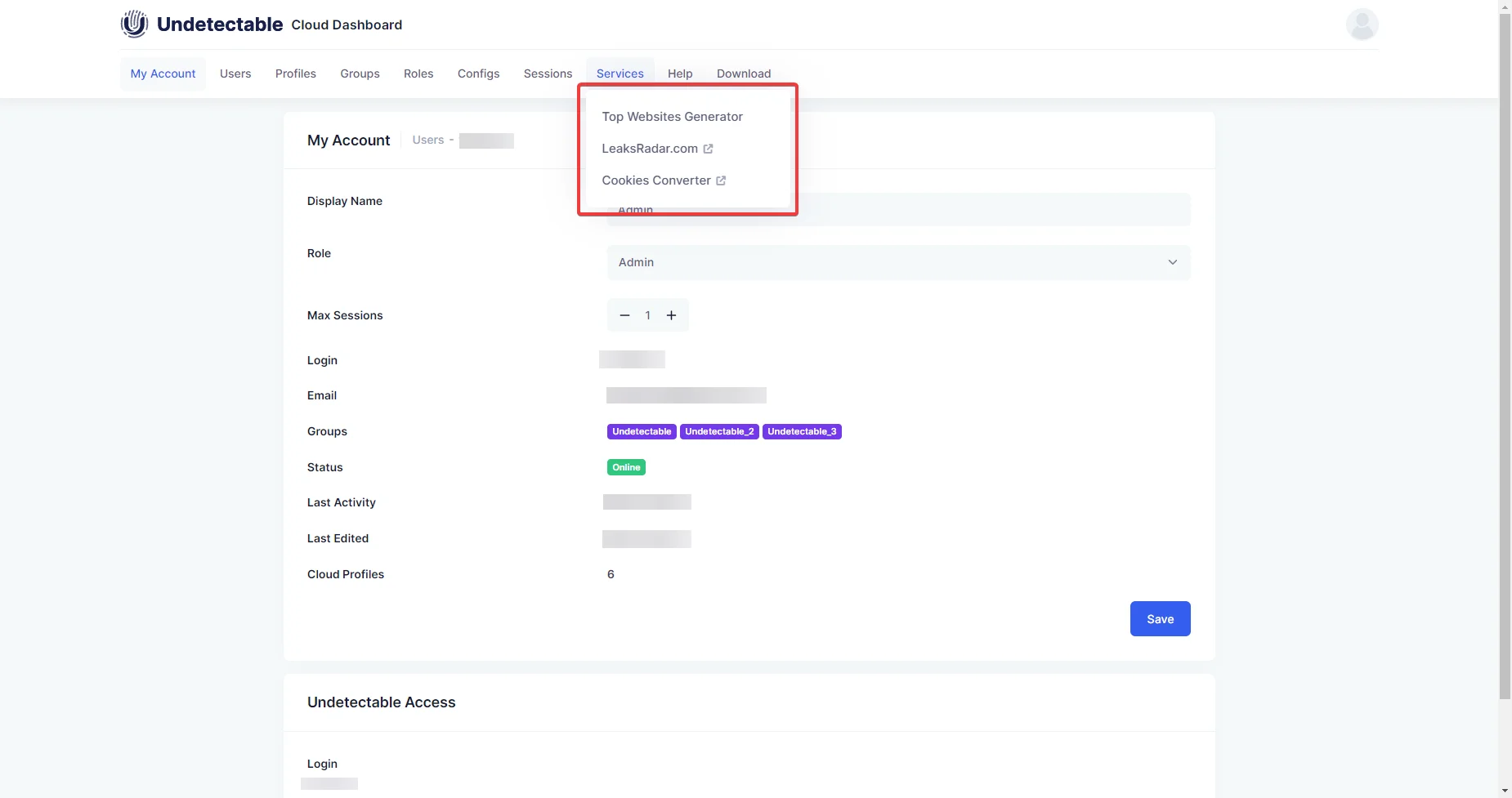
This section offers some website links that can assist you in checking the work of browser substitutions, converting cookies from NETSCAPE to JSON, and creating a website list for the cookie bot.
9. Help section
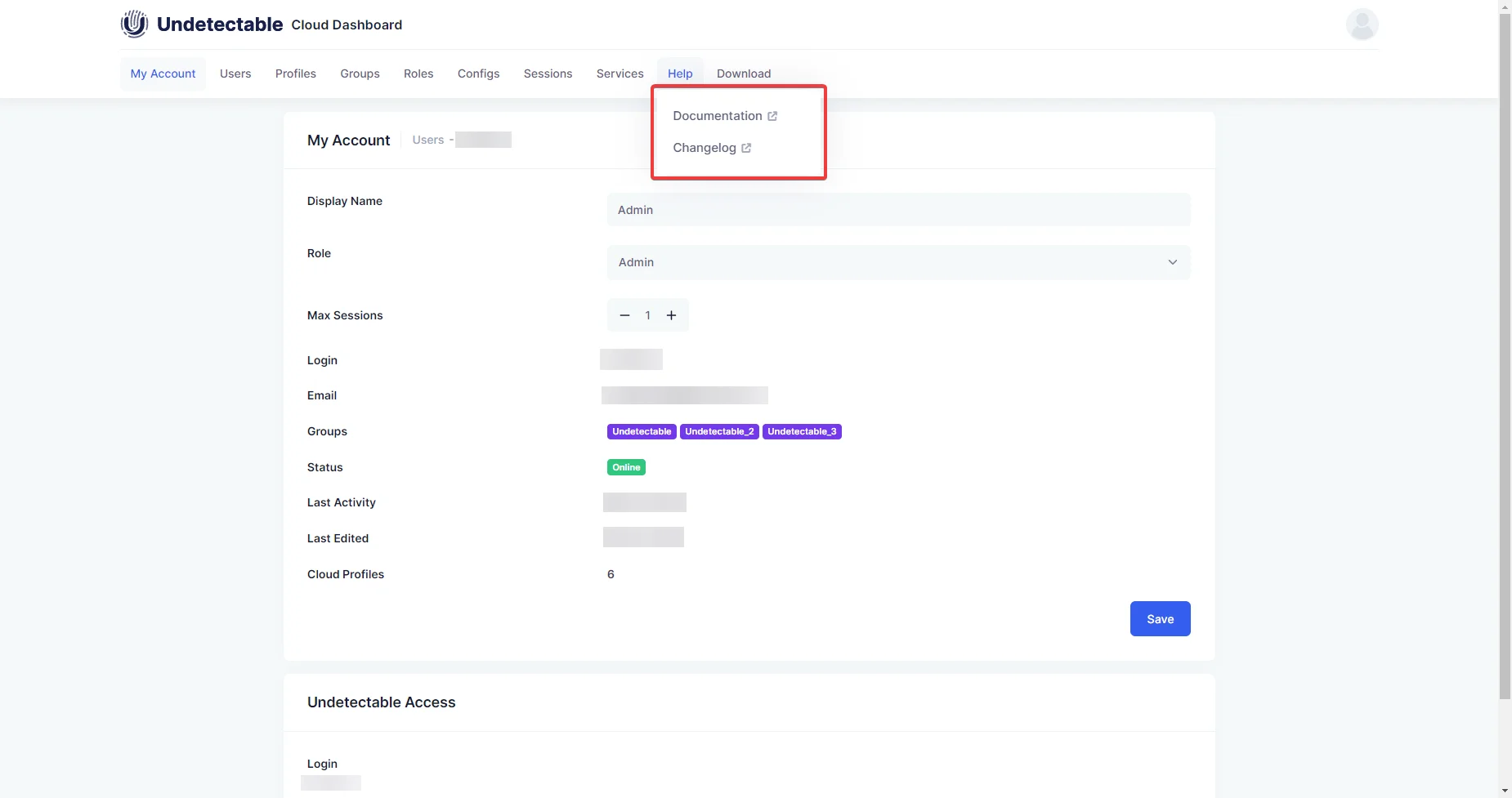
For all the issues and concerns you have, apart from reaching out to customer assistance, you can always head on to this section, which offers you documentation and a changelog.
10. Downloads
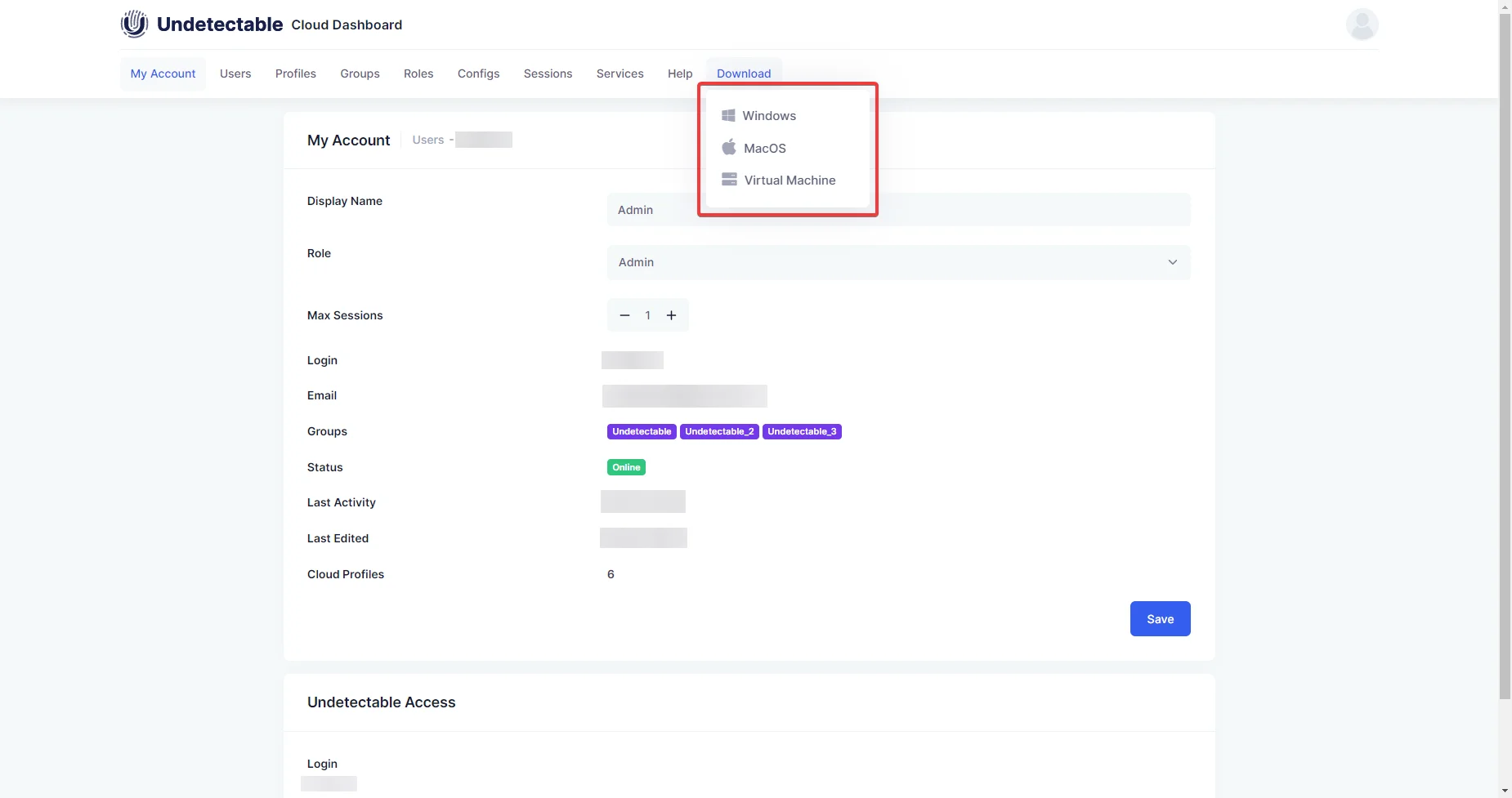
Head to this section to download and install the Undetectable browser on your macOS or Windows.
Efficiency with Undetectable.io
Undetectable.io is a highly optimized anti-detection browser designed for seamless performance across multiple operating systems, with dedicated versions for Windows 10/11, macOS devices with M1/M2 chips, and macOS devices with Intel processors. This ensures compatibility and efficiency regardless of your hardware.
The software excels in handling large-scale projects, capable of loading over 5,000 profiles in seconds, making it ideal for managing extensive workloads. It supports both cloud and local profiles, enabling flexible and efficient mass operations.
Additionally, Undetectable.io enhances user experience with a suite of intuitive tools tailored for anti-detection browser users:
- Hotkeys for faster navigation
- Drag-and-drop account import for streamlined setup
- Notes, folders, and tags for organized profile management
- Dark theme for comfortable extended use
- Auto-cleaning of unnecessary cache to maintain performance
These features combine to make Undetectable.io a powerful, user-friendly solution for managing complex browsing tasks with speed and precision.
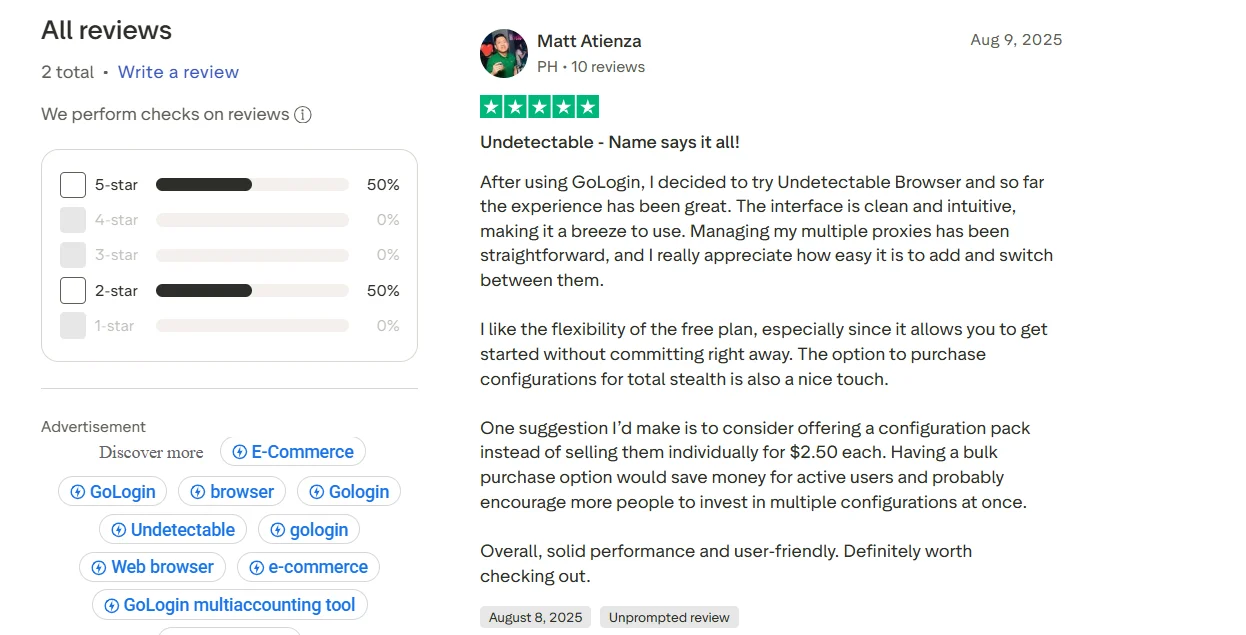
Customer reviews of Undetectable.io
FAQs on Undetectable.io
How fast can it load profiles? ⚡
Undetectable.io can load over 5,000 profiles in seconds, making it ideal for large-scale projects.
Does it support cloud and local profiles? ☁️
Yes, it supports both cloud and local profiles, offering flexibility for mass operations and teamwork.
What makes its interface user-friendly? 🖱️
Features like drag-and-drop account imports, hotkeys, and a dark theme simplify navigation and enhance usability.
Can I organize profiles easily? 📂
Absolutely! Use notes, folders, and tags to categorize and manage profiles efficiently.
How does it ensure privacy? 🔒
It uses fingerprint-switching technology with real device data to make each profile appear unique, reducing detection risks.
What automation tools are available? 🤖
It supports automation via APIs like Puppeteer, Playwright, and Selenium for streamlined tasks.
How does the cookie bot work? 🍪
The cookie bot, paired with a website generator, collects cookies from popular sites based on your chosen location to warm up profiles.
Are there team collaboration features? 👥
Yes, with over 33 permission settings, role-based access, and cloud profile management for seamless teamwork.
How often is the browser updated? 🔄
It receives regular Chromium core updates to stay compatible with modern websites and anti-fraud systems.
Quick Links:
- Hydraproxy Review : Is It Fast & Reliable Proxy Service?
- MarsProxies Review : Still a Good Proxy Service ?
- Wix Review: The Ultimate Website Builder for Everyone
- CartFlows Review: The Ultimate Sales Funnel Solution for WordPress
- Proxy-Seller Review: Is It Fast, Secure, and Affordable?
Conclusion of Undetectable.io Review in 2026
To sum it up, Undetecable.io is a useful tool for managing online profiles, especially for teams. It offers easy-to-use features like profile creation, team permissions, and real-time profile management.
While the setup process can be a bit tricky, the overall experience is smooth once you’re up and running. Whether you’re new to this kind of tool or have experience, Undetecable.io provides a straightforward way to keep profiles organized and secure.
It’s a solid choice for anyone looking for a reliable anti-detection browser.