

Multilogin is a browser tool that lets you manage multiple online accounts without getting detected or blocked. I highly recommend it if you want a safe and simple way to keep each account separate and protected.
- Manage many accounts safely
- Keeps each account separate
- Easy to use once set up
- Works well with proxies
- Good for teams and businesses
- Can be expensive
- Takes time to learn
- Needs a stable proxy setup
Price: €1.99
Multilogin is a platform that allows you to manage multiple online accounts safely by keeping them separate and secure, all while masking your digital fingerprint.
But is it a legit platform to keep your accounts safe from bans and detection?
Yes, it is! Multilogin offers powerful tools to help you manage your accounts with confidence. Let’s get into this detailed Multilogin review to explore how it works, its key features, and why it might be the right choice for you.
All About Multilogin
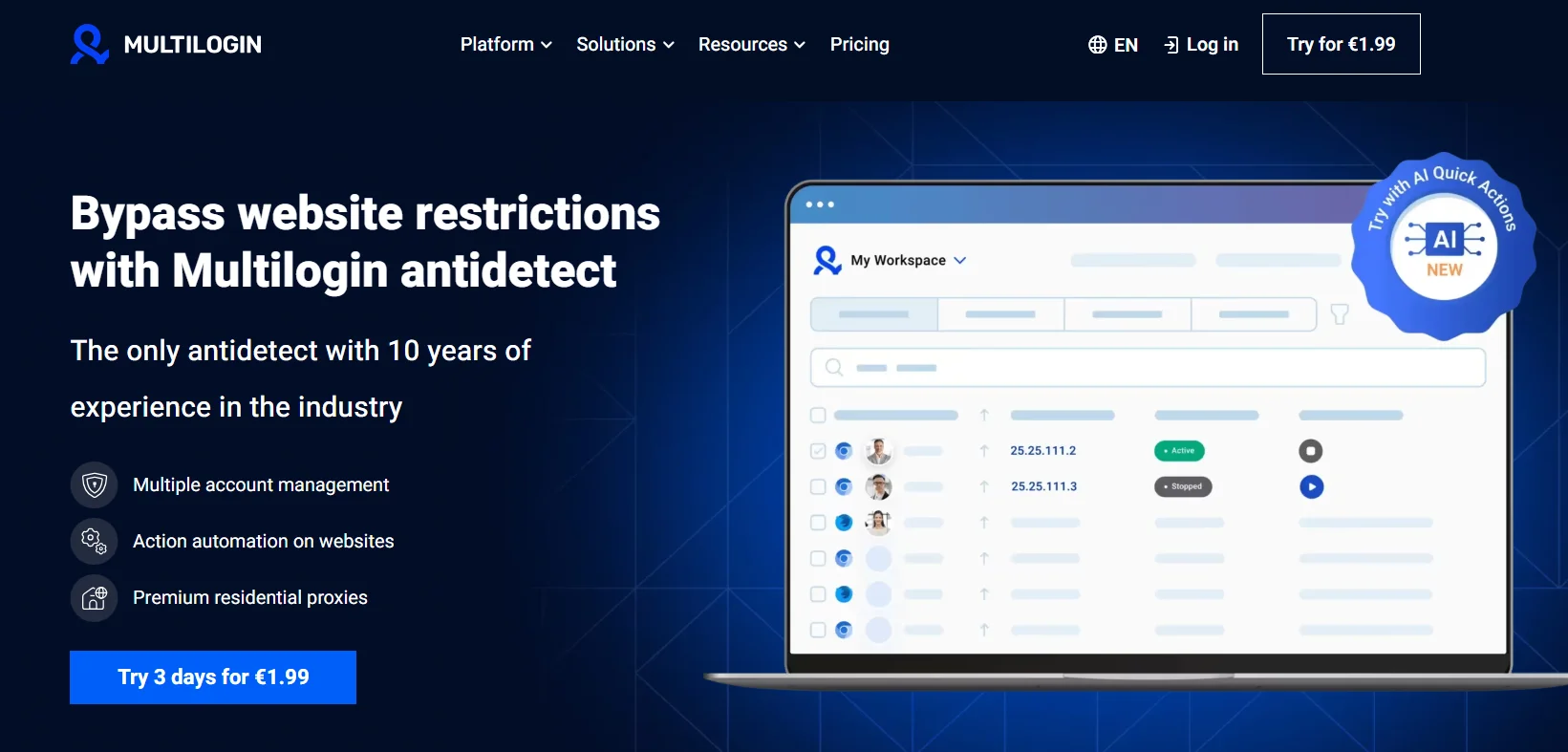
Multilogin is a tool that helps you manage multiple online accounts without being flagged or banned. It creates separate browser profiles, making each one look like a different device to websites.
This helps prevent issues on platforms like Facebook, Google, or Amazon. The tool uses two special browser engines, Mimic and Stealthfox, based on Chromium and Firefox.
Each profile has its own unique fingerprint, including things like screen size, fonts, and time zones, which are different from regular browsers. You can also set different locations, devices, and proxies for each profile to make them look more realistic.
This is helpful for people like digital marketers, e-commerce sellers, or affiliate marketers who need to manage several accounts. Multilogin works on Windows, macOS, and Linux. You can store profiles in the cloud for easy access from any device, or locally on your computer.
In 2026, the updated version, Multilogin X, added AI features and supports proxies from 150 countries, helping users keep their accounts secure and manage their work more efficiently.
What Stands Out About Multilogin?
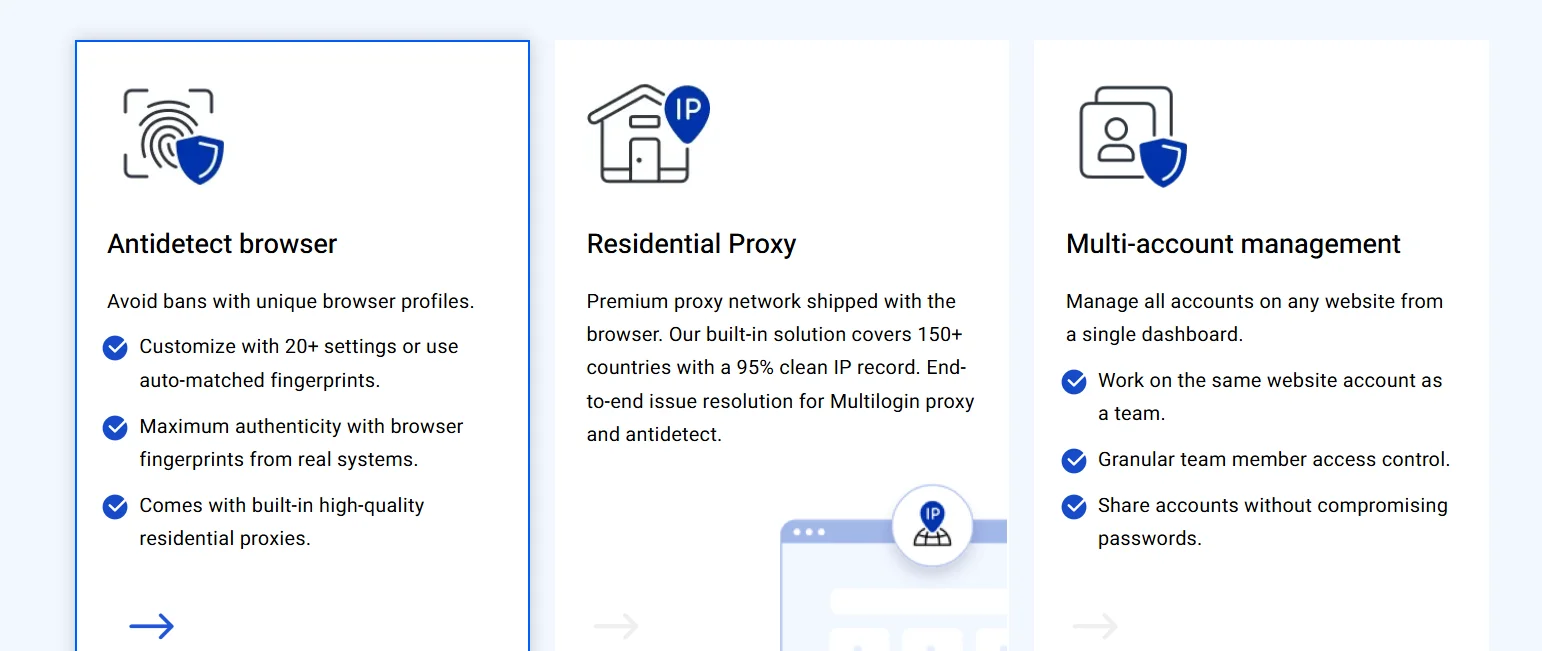
1. Multiple Profiles
Multilogin lets you create separate browser profiles that act like distinct devices to websites, making it easy to manage multiple accounts without them being linked.
Each profile is fully isolated, meaning that cookies, browsing history, and other data are kept separate from the others. This isolation prevents websites from connecting the profiles, helping you avoid account bans or restrictions on platforms like Facebook, Google, or Amazon.
By using these unique profiles, you can safely run multiple accounts for different purposes, such as marketing, e-commerce, or social media management, without risk of detection or flagging.
2. Fingerprint Masking
Each profile created with Multilogin includes a unique digital fingerprint that includes important details such as screen size, fonts, time zones, canvas rendering, WebGL, and audio context.
These fingerprints are specifically designed to mimic real devices, making your profiles appear authentic to websites. By altering these parameters for each profile, Multilogin ensures that your accounts appear as different users browsing from various devices.
This helps your profiles pass advanced detection systems, such as Pixelscan, which are commonly used by websites to identify fraudulent or automated behavior. With this level of masking, your accounts remain undetected, reducing the chances of being flagged, banned, or blocked by online platforms.
3. Customizable Settings
Multilogin allows you to fully tailor each profile to meet your specific needs by customizing various settings such as locations, devices, and proxies.
You can choose different operating systems, screen resolutions, and user agents (such as Chrome 120 or Firefox) for each profile, making it adaptable to a wide range of tasks.
Whether you’re managing multiple social media accounts, running ads on e-commerce platforms, or handling affiliate marketing, these customizable options give you the flexibility to simulate real user behavior in different environments.
Additionally, you can set unique IP addresses and geolocations for each profile, further enhancing the realism and security of your accounts.
With this level of customization, you can ensure that each profile looks and behaves just like a real person, reducing the risk of detection and account bans.
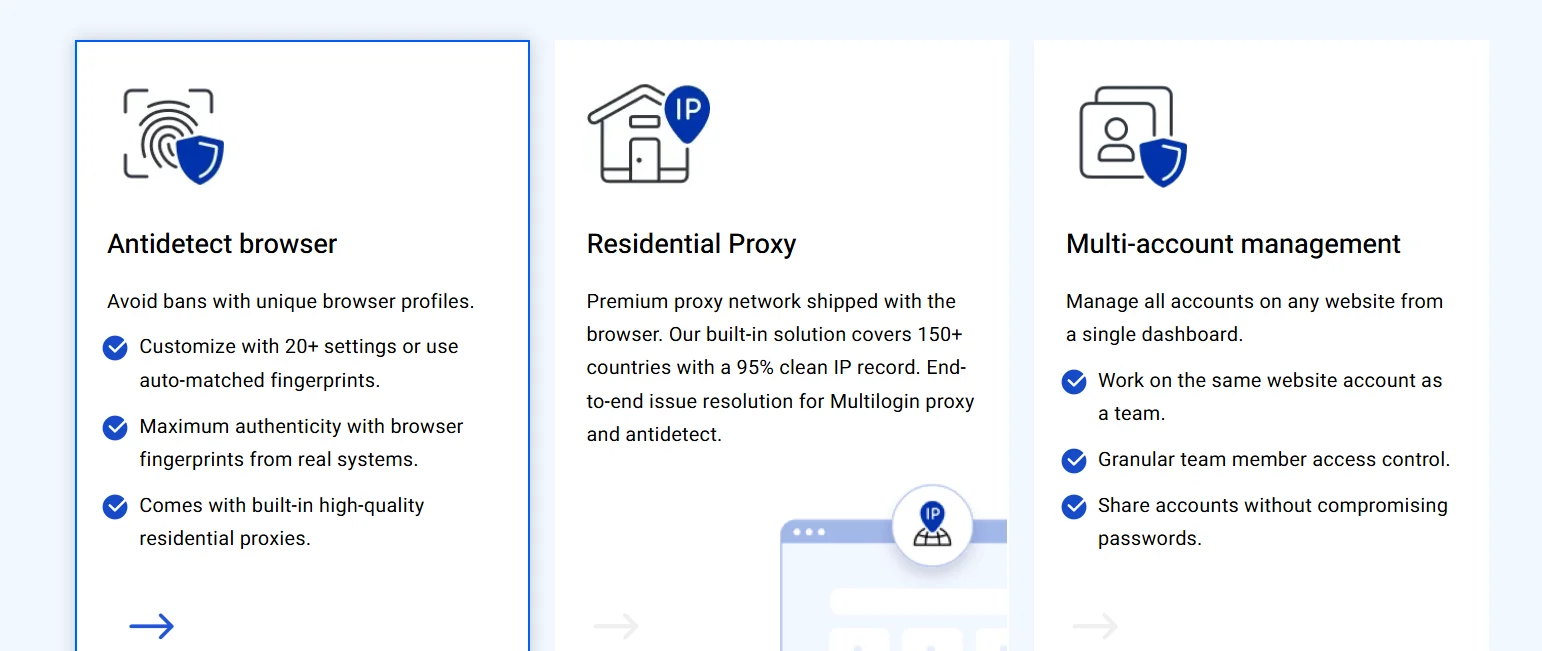
4. Supports Major Browsers
Multilogin offers full support for both Chromium-based browsers (via the Mimic engine) and Firefox-based browsers (using the Stealthfox engine).
This flexibility allows you to choose the browser that best fits your needs and preferences, whether you’re more comfortable with Chrome or Firefox.
By supporting two of the most popular browser engines, Multilogin ensures compatibility across a wide range of platforms and use cases, making it easier to manage multiple accounts.
Whether you’re handling e-commerce, digital marketing, or social media accounts, this compatibility gives you the freedom to work within the environment you’re most familiar with, while also providing more options for customization and security
5. Cloud and Local Storage
You can store your profiles either in the cloud, which gives you the flexibility to access them from any device, or locally on your computer for added privacy and control.
Storing profiles in the cloud lets you seamlessly access and manage your accounts from multiple devices, whether desktop, laptop, or mobile, while keeping your profiles synchronized across platforms.
This cloud-based option offers convenience for those who need to work on the go or switch between devices. On the other hand, local storage gives you full control over your data, keeping it stored securely on your machine and minimizing the risk of unauthorized access.
Both options offer distinct advantages, so you can choose the storage method that best suits your needs for security, privacy, and convenience.
6. Cross-Platform
Multilogin is designed to work seamlessly across multiple operating systems, including Windows, macOS, and Linux.
This cross-platform support means you can easily integrate Multilogin into your workflow, regardless of the system you use, without worrying about compatibility issues.
7. Proxy Support
With support for proxies from over 150 countries, Multilogin allows you to hide your real location and make each profile appear like a different user.
Paid plans include access to residential proxies that support both SOCKS5 and HTTP protocols, allowing you to rotate IPs to avoid detection patterns commonly used by websites to track suspicious activity.
8. Team Access
Multilogin enables team collaboration, making it easier for multiple users to manage accounts together. You can share profiles with role-based permissions, provide view-only access, and track user actions through detailed activity logs.
This feature is ideal for businesses and agencies that need to manage several profiles simultaneously.
9. Automation Support
Multilogin integrates smoothly with popular automation tools like Selenium, Puppeteer, and Playwright.
This allows you to automate tasks like logins, data scraping, and other repetitive actions, running scripts in headless mode to make your workflow more efficient and reduce manual effort.
10. AI Features (in Multilogin X)
The updated version, Multilogin X, brings AI-powered tools that automate complex account management tasks.
These features include form filling, simulated clicks, and human-like typing behavior, which improve security by making your actions appear more natural to websites, reducing the chances of being flagged.
11. Easy Access
The cloud storage option makes it easy to access your profiles from any device. Whether you’re switching between desktop, laptop, or mobile, you can continue your work without disruption.
This flexibility ensures that you can manage your accounts on the go, without losing track of your settings or profiles.
12. Browser Fingerprint Management
Multilogin gives you control over more than 20 different fingerprint parameters, such as hardware concurrency, screen depth, and WebRTC settings.
By customizing these details, you ensure that your profiles appear more authentic, helping them pass advanced checks and avoiding detection from platforms that track digital fingerprints.
13. Proxy Integration
The built-in proxy system covers millions of clean, reliable IPs, giving you the ability to choose IPs from a wide range of regions. You can monitor your proxy usage directly from the Multilogin dashboard.
Higher-tier plans offer more bandwidth, reducing your reliance on external proxies and making your account management more cost-effective.
14. Profile Isolation and Management
Profiles are isolated in secure sandboxes, keeping cookies, browsing history, and other data separate from one another. You can organize your profiles by tagging, color-coding, or searching for specific ones.
Additionally, bulk actions allow you to edit or manage multiple profiles at once, saving time and making mass adjustments easier.
15. Team Collaboration
Securely share profiles with encrypted connections and assign ownership to specific users. Team members can be invited via email, and you can monitor activity to track who’s accessing and modifying profiles.
The Business plan provides unlimited seats, making it a great option for large teams that need to manage a high volume of accounts.
16. Automation and API
Multilogin’s REST API supports programming languages like Python, Node.js, and Java, enabling you to automate profile creation and other tasks.
The built-in AI actions and pre-configured bots can handle repetitive processes, streamlining your account management and making your operations more efficient.
17. Security Measures
Profiles stored in the cloud are protected by AES-256 encryption, ensuring that your data remains secure. Two-factor authentication (2FA) adds an additional layer of security to your login process.
Additionally, KYC verification is used to prevent misuse, while regular updates to Mimic and Stealthfox ensure the software stays secure and up-to-date.
18. Additional Tools and Integrations
The Multilogin dashboard provides a modern, user-friendly interface that simplifies account management. Features like reporting tools track user engagement and avoid bans, while cookie export/import and mobile emulation provide extra flexibility for a variety of use cases.
These additional tools enhance your ability to manage accounts with ease and precision.
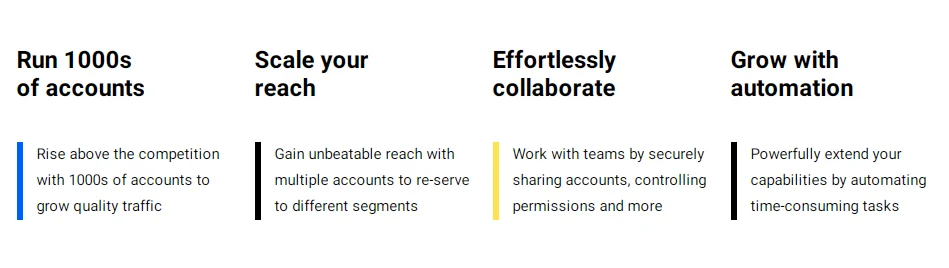
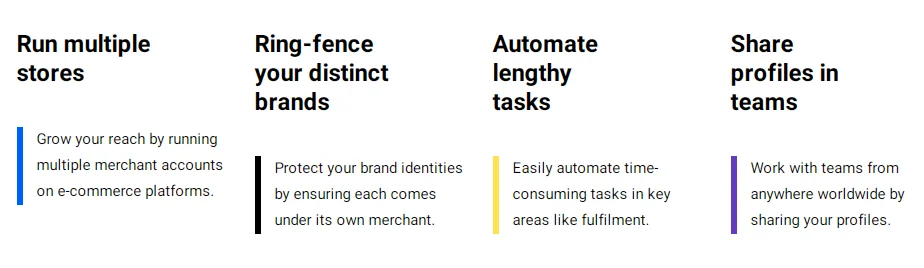
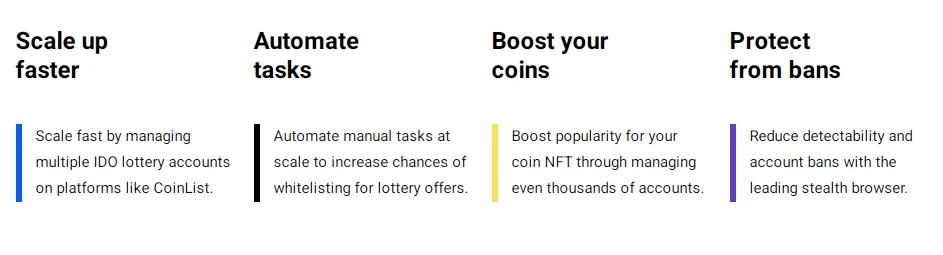
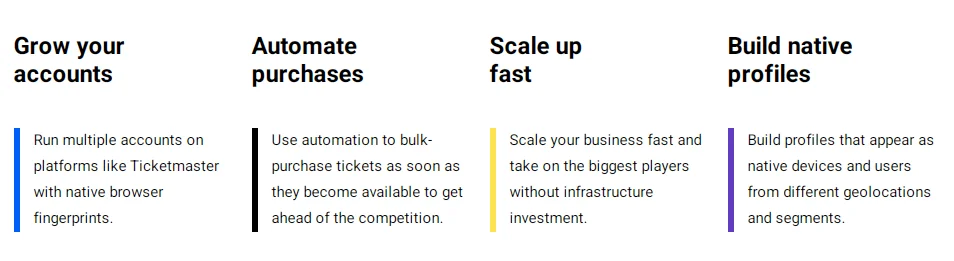
Pros & Cons of Multilogin
Pros
- Manage multiple accounts safely.
- Customize profiles (location, browser, etc.).
- Works on Windows, macOS, and Linux.
- Store profiles in the cloud or locally.
- Supports automation and team collaboration.
Cons
- It can be expensive.
- Takes time to learn.
- No mobile app.
- Sometimes has bugs or stability issues.
Pricing Plans Overview
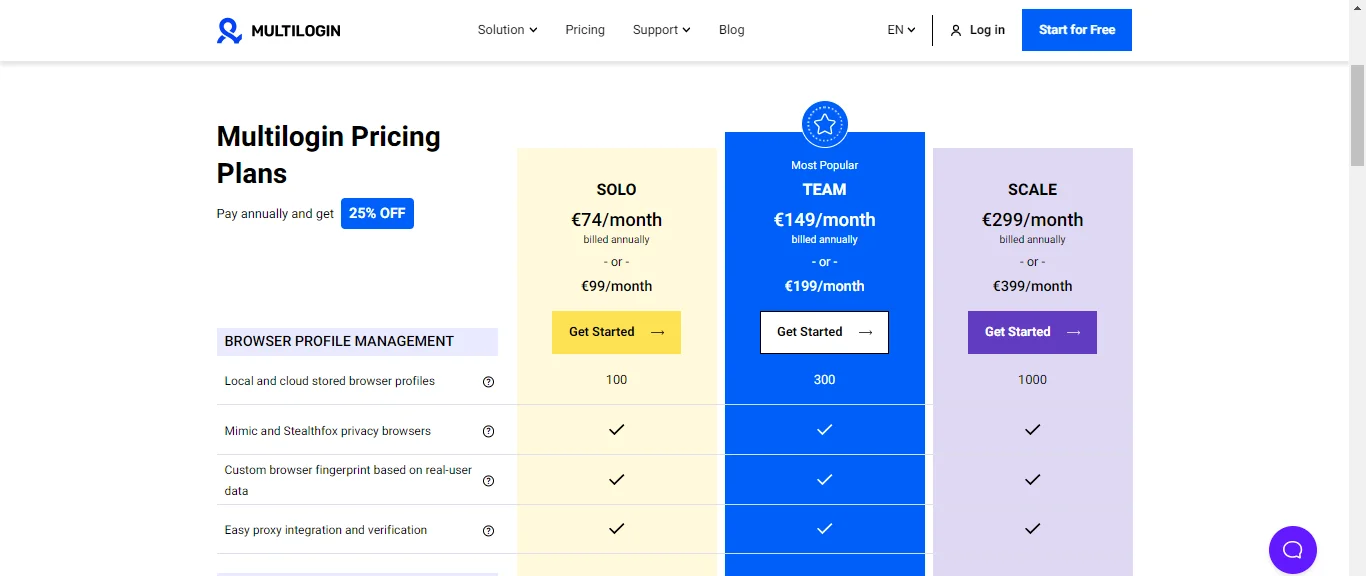
Multilogin Pricing
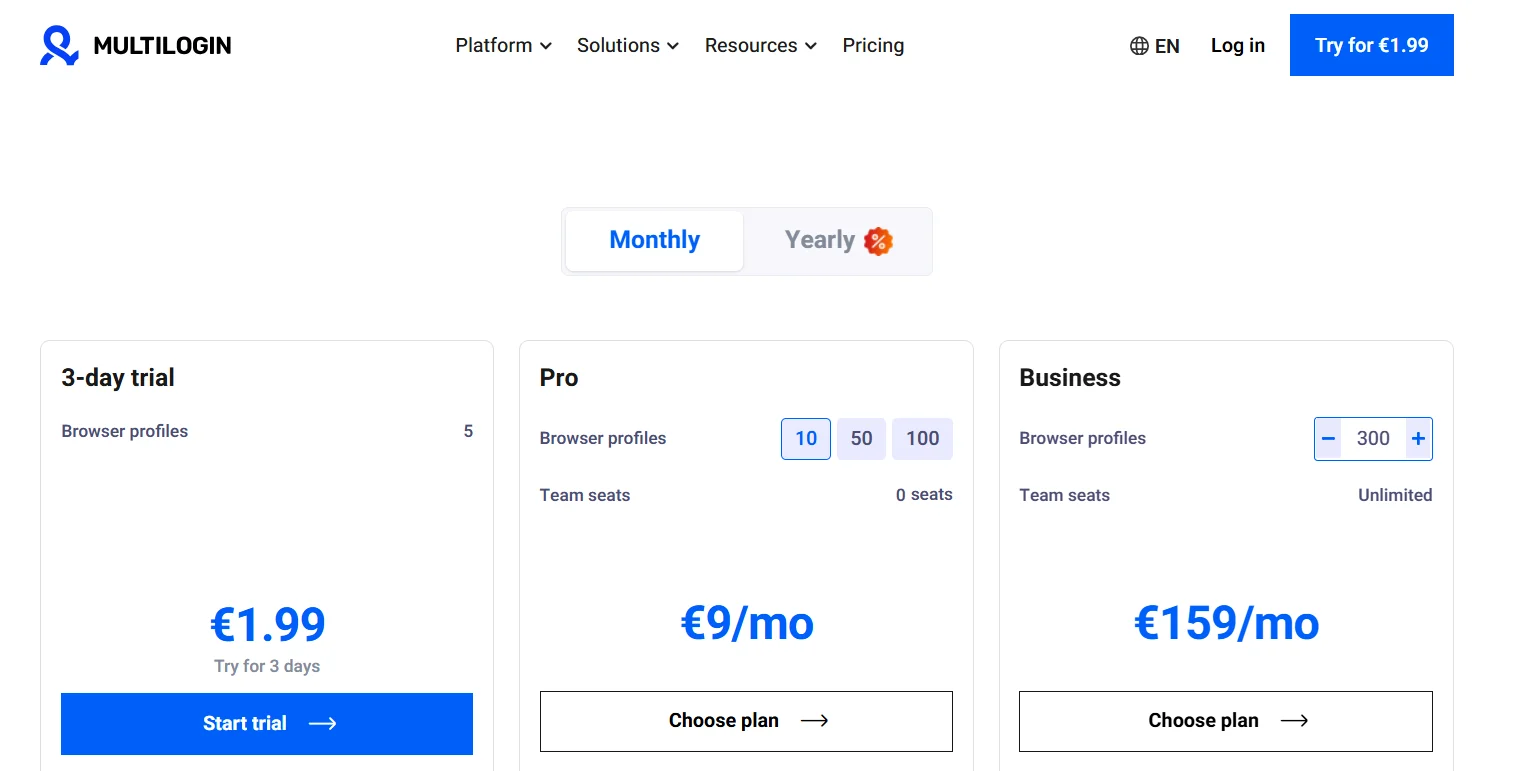
| Plan | Browser Profiles | Price (Monthly) | Price (Yearly) | Features | Bonus |
|---|---|---|---|---|---|
| 3-day Trial | 5 | €1.99 | – | Profiles with cloud and local storage | 200 MB premium residential proxy traffic (one-time) |
| Pro | 10, 50, 100 | €9.00/month | €5.85/month (€70.2 annually) | Profiles with cloud and local storage, API access RPM 50, Premium residential proxy traffic starting from €3/GB | 1 GB premium residential proxy traffic (monthly) |
| Business | 300 | €159/month | €103.35/month (€1240.2 annually) | Profiles with cloud and local storage, API access RPM 100, Premium residential proxy traffic starting from €3/GB | 10 GB premium residential proxy traffic (monthly) |
Customization
Customize your plan like a pizza: Need more proxy traffic, higher API rate limits, or have special inquiries? No problem. You can tailor your plan to your specific needs starting from €300/month.
Payment Methods
- VAT may apply in certain countries
- Accepted Payment Methods:
- VietQR
- 10+ cryptocurrencies (Bitcoin, Ethereum, etc.)
Performance Test of Multilogin
A performance test was conducted on Multilogin using a Mac computer. The profiles were set up with default, automatically generated fingerprints and a residential proxy provider using a sticky IP address.
Two key tools were used in the test: Pixelscan and CreepJS. Pixelscan is an online tool that evaluates the consistency of a browser fingerprint across software, hardware, and IP elements.
It passes when a fingerprint shows full consistency. CreepJS detects vulnerabilities in anti-detection tools through invasive methods and is commonly used in web scraping communities. It scores performance on a scale of 0 to 100%, with 100% being ideal.
The test was performed across nine profiles, and Multilogin consistently passed Pixelscan when the operating system matched the host (macOS). Six profiles (three Chrome and three Firefox on macOS) achieved full fingerprint consistency.
However, mismatches between the operating system and the browser caused failures, such as in Chrome on Windows (41.5%), Firefox on Windows (75.5%), and Chrome on Android (26%). This supports the recommendation to avoid mismatched operating system settings.
CreepJS scores were generally good, ranging from 72.5% to 75.5% for macOS profiles, which is comparable to the baseline of vanilla Chrome (around 70%). Multilogin passed critical tests like detecting “lies” successfully.
The exception was the Chrome Android profile, which scored low at 26%. Overall, Multilogin performed well against Pixelscan and showed solid results with CreepJS, provided the operating system aligned with the host machine.
Multilogin Versions
Multilogin offers two versions of its antidetect browser: Multilogin 6 and the newer Multilogin X. The older version, Multilogin 6, will be discontinued in 2025, and users are encouraged to migrate to Multilogin X, the more advanced and updated version.
Multilogin X is the default for new users and provides a complete upgrade with a desktop app and web interface. It features a major overhaul, with an API-first design and new functionalities that offer more flexibility and control.
This version supports seamless profile management across multiple browsers, such as Safari, Chrome, and Firefox, with no fingerprint issues. However, it requires a desktop app agent, so it’s limited to desktop usage.
On the other hand, Multilogin 6 still functions but receives only basic updates. While it supports multiple unique profiles, it lacks the advanced features and versatility of Multilogin X.
Here’s a comparison of both versions:
| Feature | Multilogin X | Multilogin 6 |
|---|---|---|
| Interface | Desktop app + Web interface | Desktop app only |
| Profile Management | Quick profiles, option to restore deleted profiles | Quick profiles only |
| API | All features as API endpoints, extensive documentation, higher rate limits | Limited API endpoints, mediocre documentation, lower rate limits |
| Workflow Management | Option to manage several projects with one account, more collaborator roles | One project per account |
| Proxy | Built-in NodeMaven residential proxies, self-acquired proxies | Self-acquired proxies only |
Multilogin X offers a more flexible, feature-rich solution with advanced profile management and API capabilities, while Multilogin 6 remains available for users with basic needs but will eventually be phased out.
How do I sign up for Multilogin and get a free trial?
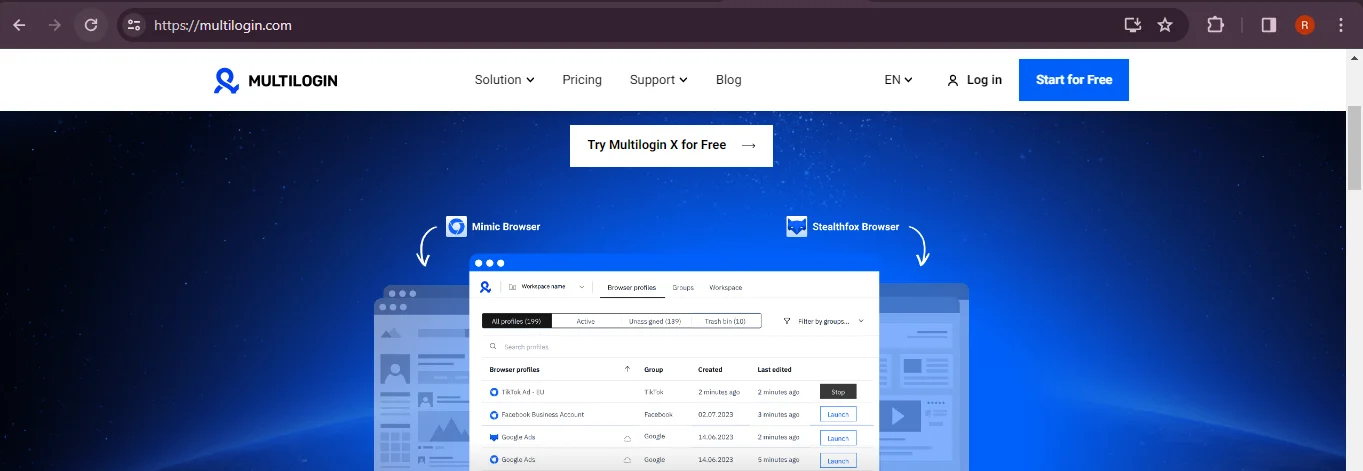
Step 1: Go to the Multilogin official website at https://multilogin.com and click on the “Try Multilogin X for free” icon.
Step 2: You’ll now be redirected to another page where you need to fill in your details and proceed further.
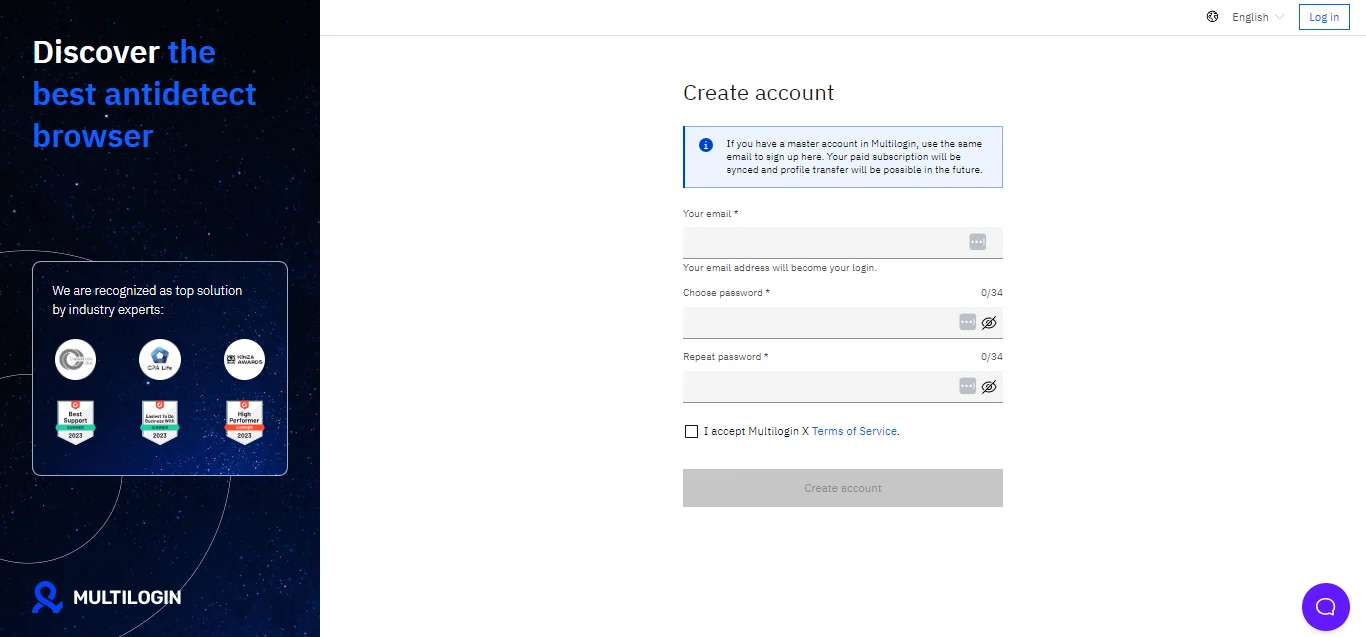
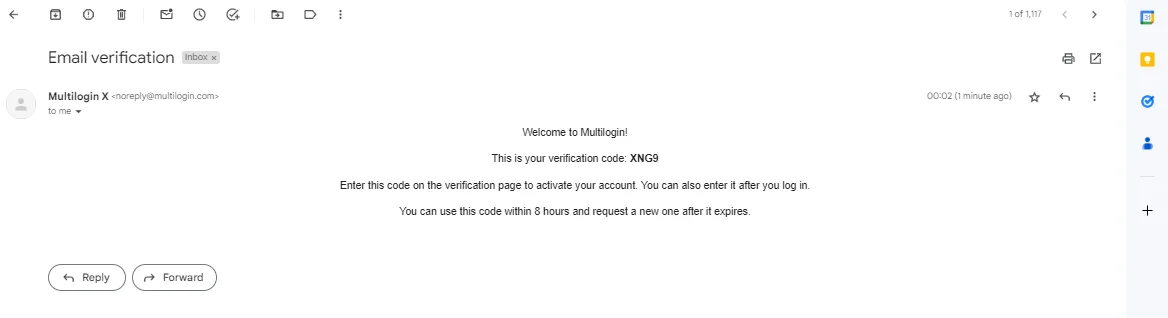
Step 3: Please ensure that you add your correct email address, as you’ll soon receive a verification code for your account creation.
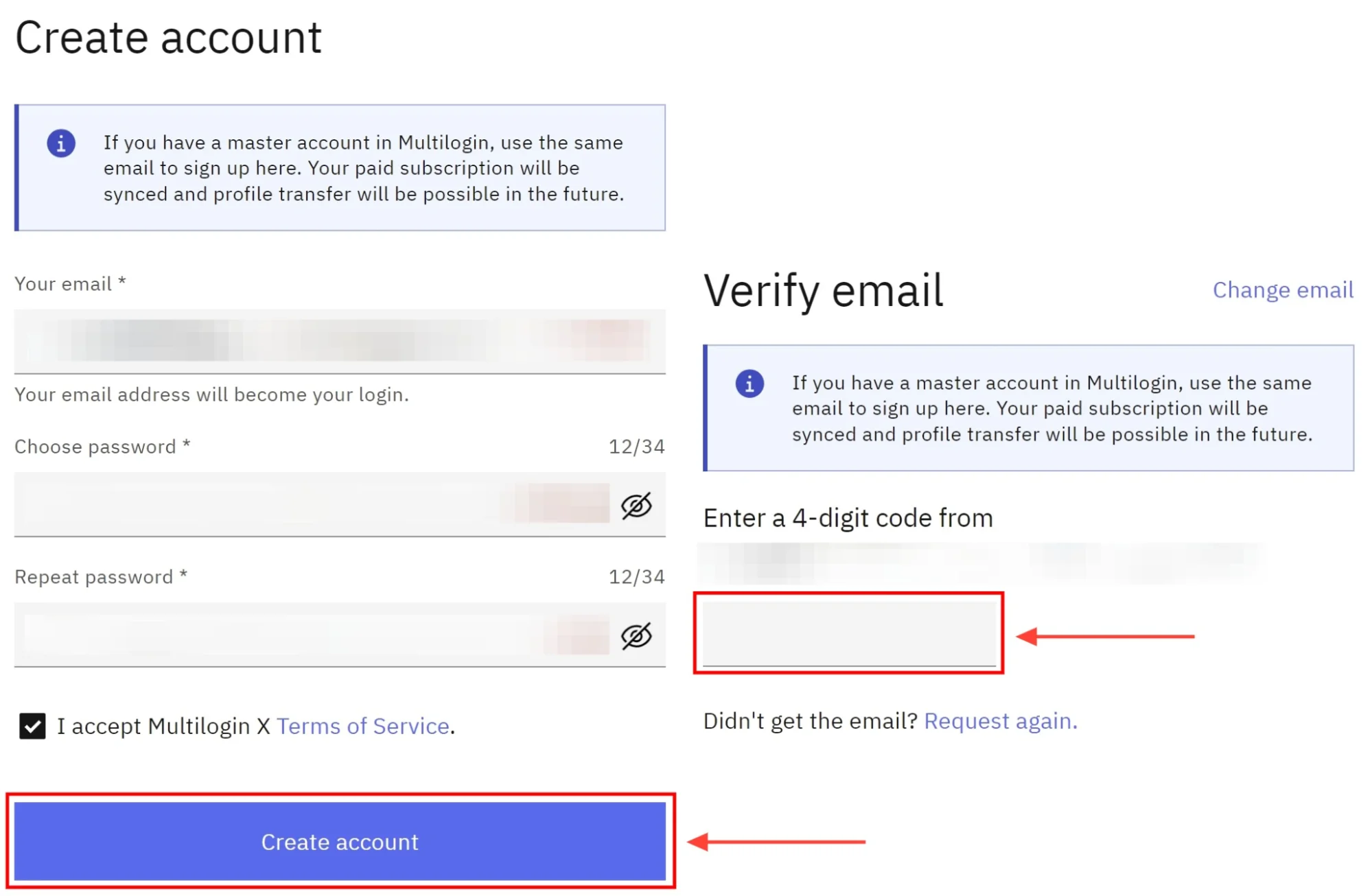
Step 4: You will now have to connect with an agent by downloading it.
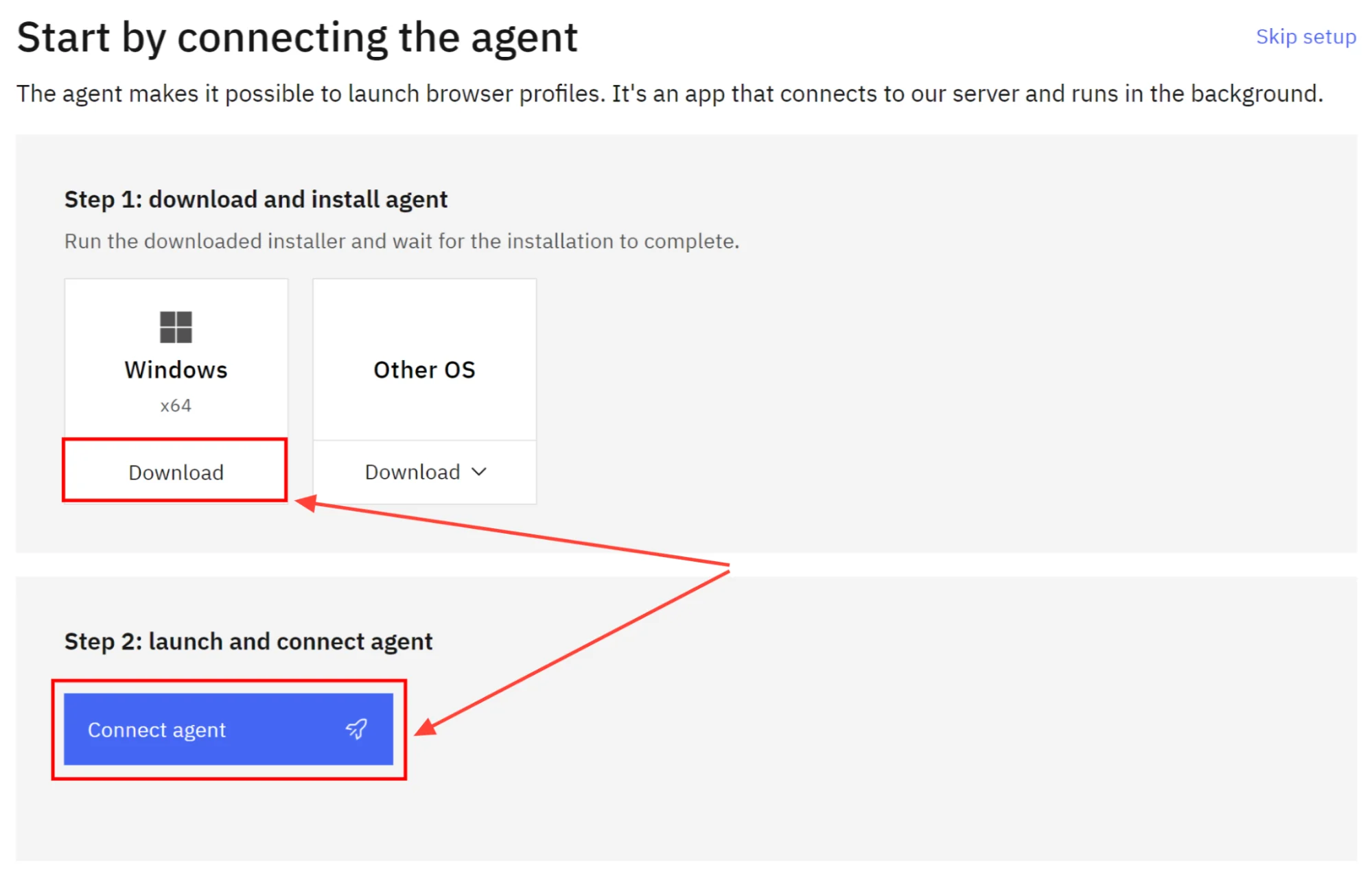
Step 5: Once you’re done with downloading the agent, you will now have to launch it by clicking on” Connect Agent.”
Step 6: You will be redirected to the dashboard where you can start using Multilogin X for free.
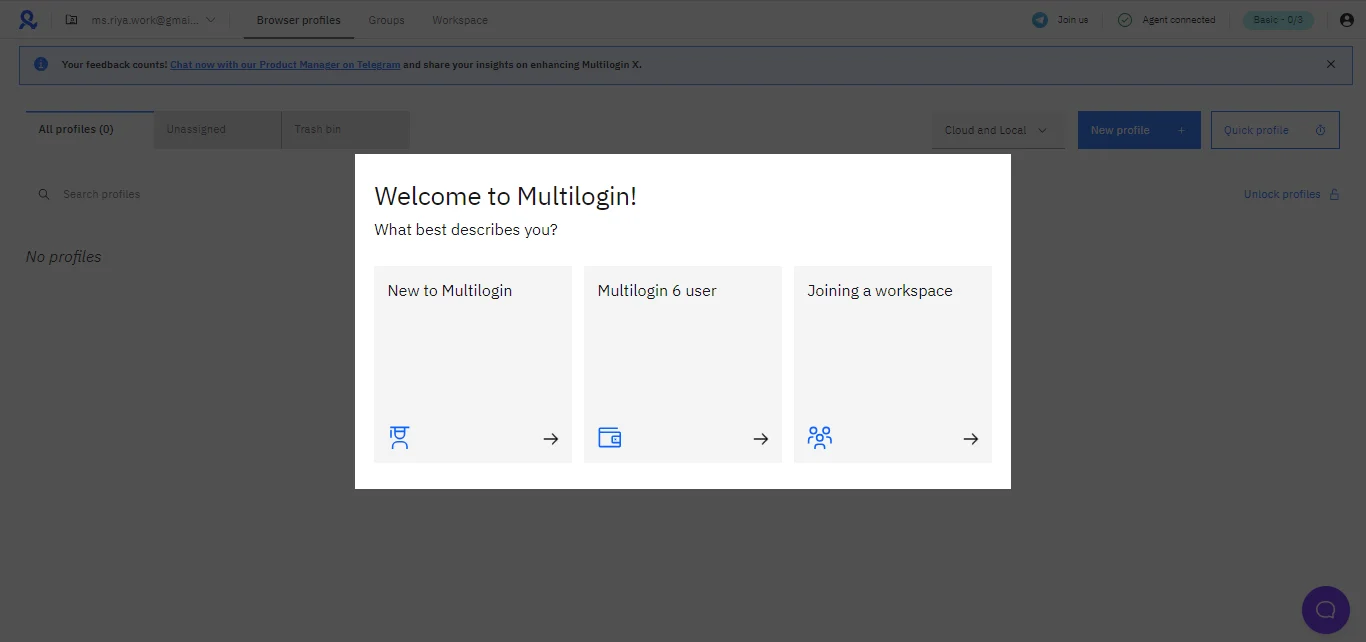
Step 7: You can create up to three browser profiles with the Basic plan; this includes local and cloud storage, access to the API, Mimic and Stealthfox privacy browsers, and a knowledge centre.
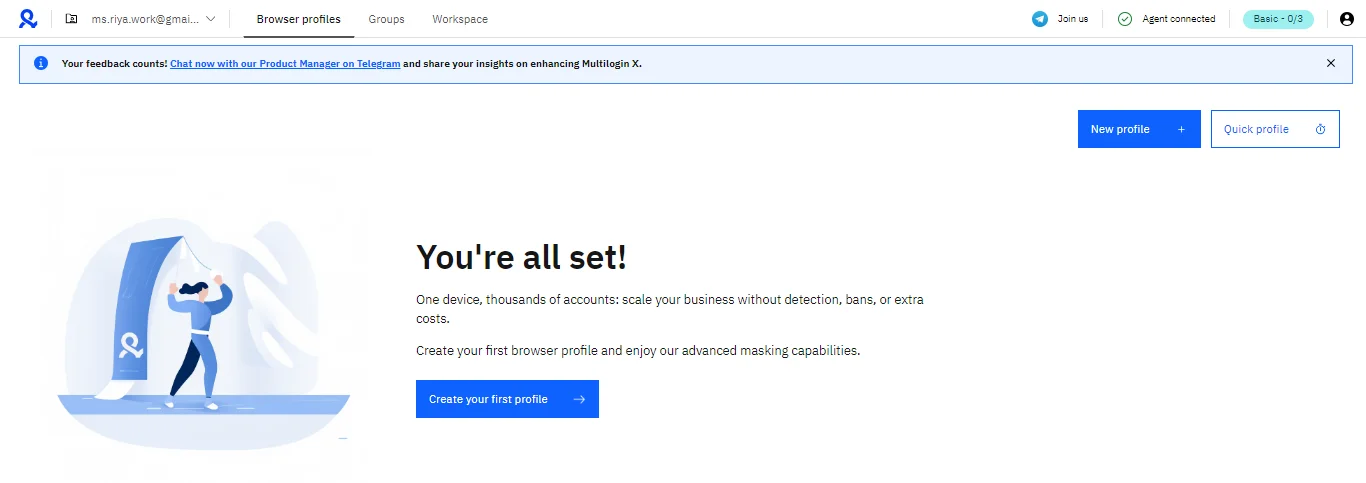
Step 8: Start by clicking on the “Create your first profile” icon and typing your profile name. The other details will be automatically filled in; however, you can make changes as needed.
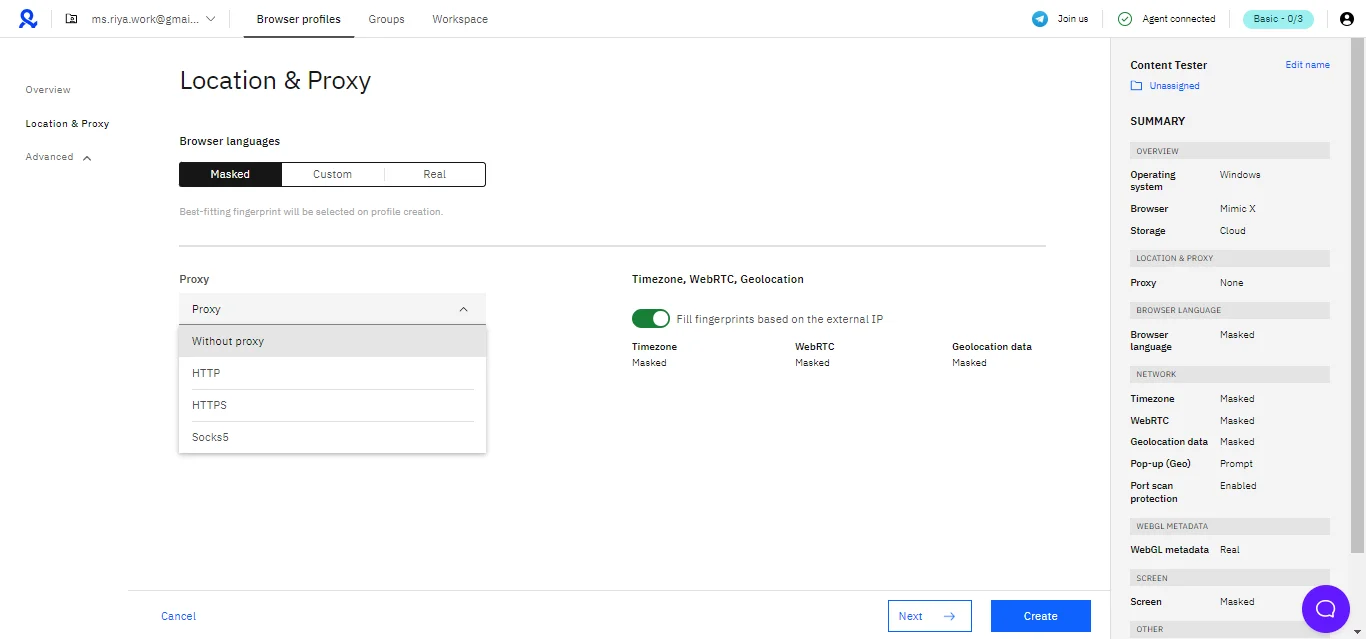
Step 9: After your overview check, you now need to set your location and proxy settings
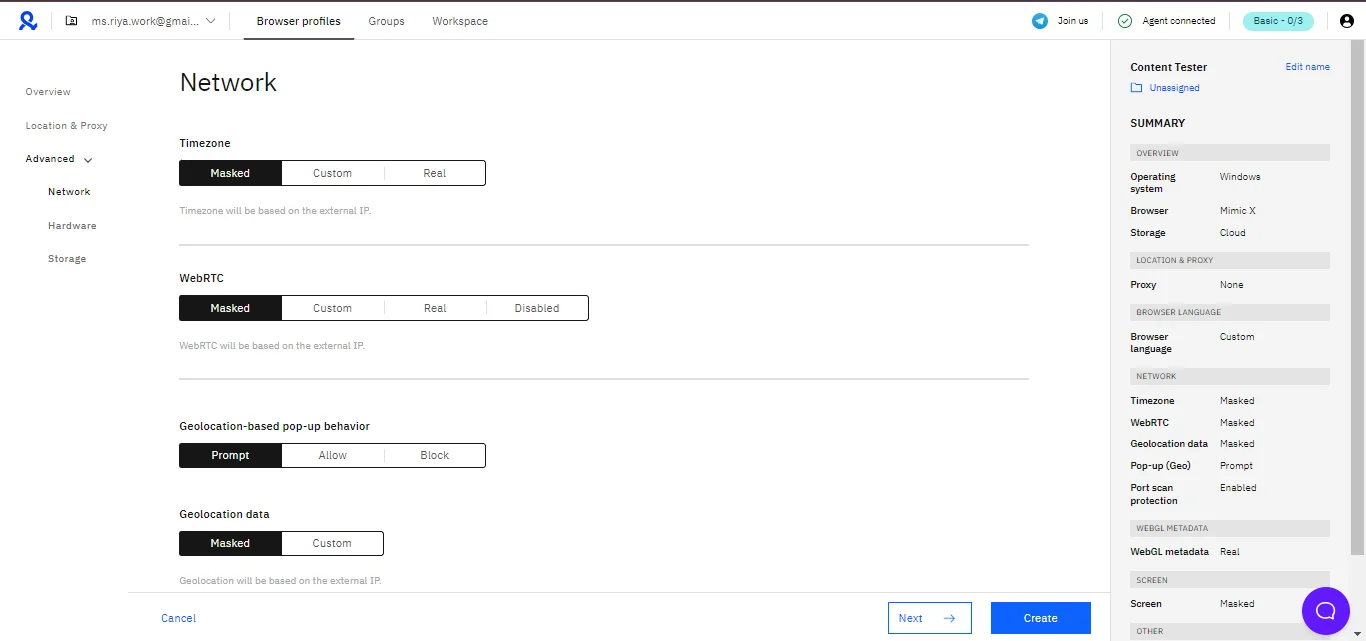
Step 10: Now click on the next icon and fill in the network details
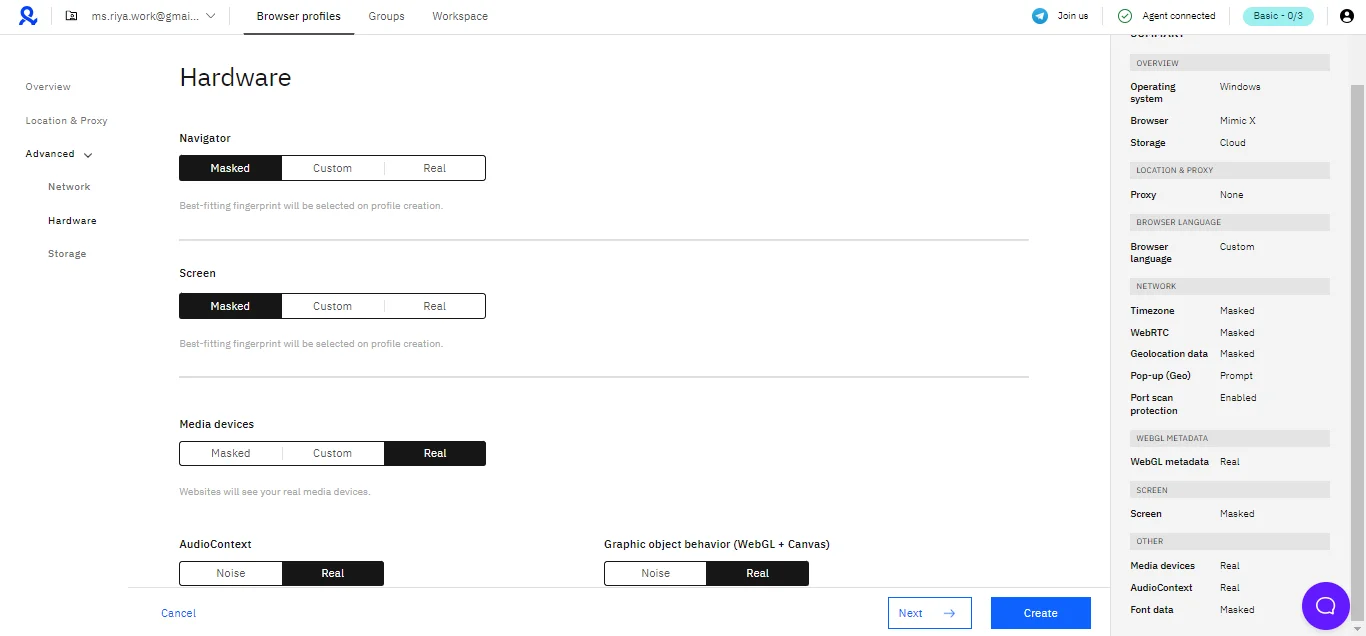
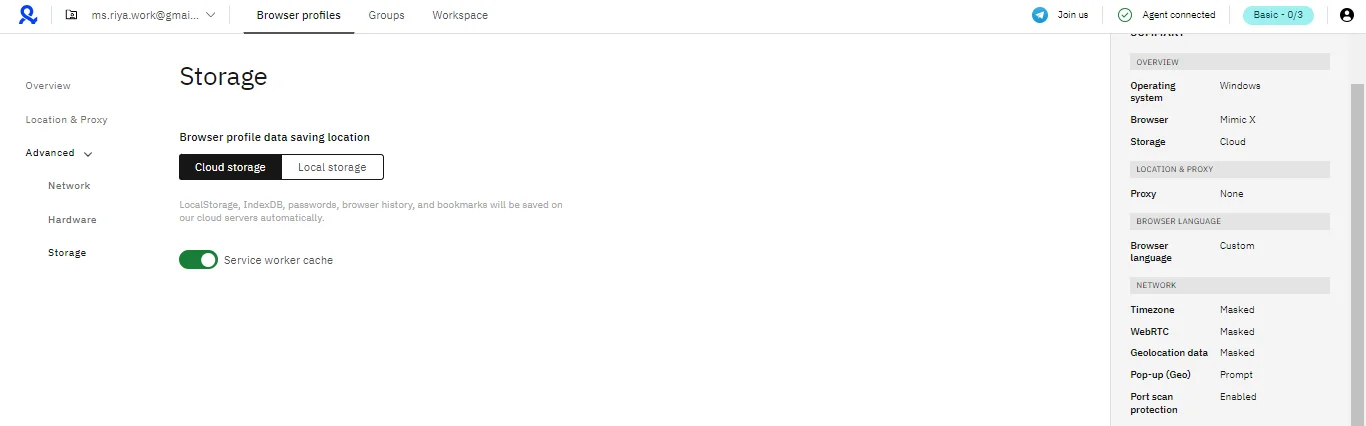
Step 11: Fill in the hardware and storage details
Step 12: That’s it. You can now click on Create, and you will have one of the three profiles created.
In case you wish to upgrade to a paid plan, click on the “Upgrade” button on the top right corner of the dashboard and select a plan to proceed.
Please note
The free plan offered by Multilogin X is a basic plan that lets you create only three profiles. However, it lacks some features, and if you wish to try all the features, you’ll have to upgrade to the paid plan.
API Documentation:
The Multilogin X API documentation serves as a comprehensive guide for automating and managing browser profiles programmatically through Multilogin X’s API endpoints.
It is designed for users and developers looking to leverage scripts, bots, or other automation tools to streamline their workflows. The API enables a range of actions, such as creating, modifying, or deleting browser profiles, as well as retrieving data related to profile usage and activity.
A key aspect of the documentation is its focus on authentication, which is required for most API requests and relies on a Bearer Token. This token, generated upon signing in, has a standard 30-minute lifespan but can be refreshed using the POST /user/refresh_token endpoint.
For those needing higher rate limits and a longer token duration, the documentation recommends obtaining an automation token, with further details provided within the guide.
The documentation outlines the full scope of available endpoints, offering clear instructions and examples to facilitate integration and usage. It is a valuable resource for enhancing efficiency in profile management within the Multilogin X ecosystem.
Quick Links:
Final Thoughts
Multilogin is indeed the best platform for managing multiple accounts safely and efficiently. With its customizable profiles, strong privacy features, and support for automation, it’s perfect for businesses, marketers, and anyone who needs to handle multiple online accounts.
While it can be a bit pricey and takes some time to learn, the benefits it offers make it worthwhile.
If you’re unsure, you can always try the 3-day free trial to experience its features firsthand and see if it fits your needs.